RIDE for Android · optional Wear OS

Keep the road in view.

RIDE turns your Android phone into a motorcycle cockpit: the next turn, speed and lean at a glance, routes that can favor the twisty way, and every ride saved on your phone to replay.

Closed beta, by invitation. Invited testers in the United States, aged 18 or older. Google Play access is not available yet; interest registration does not install or enroll you in the app.

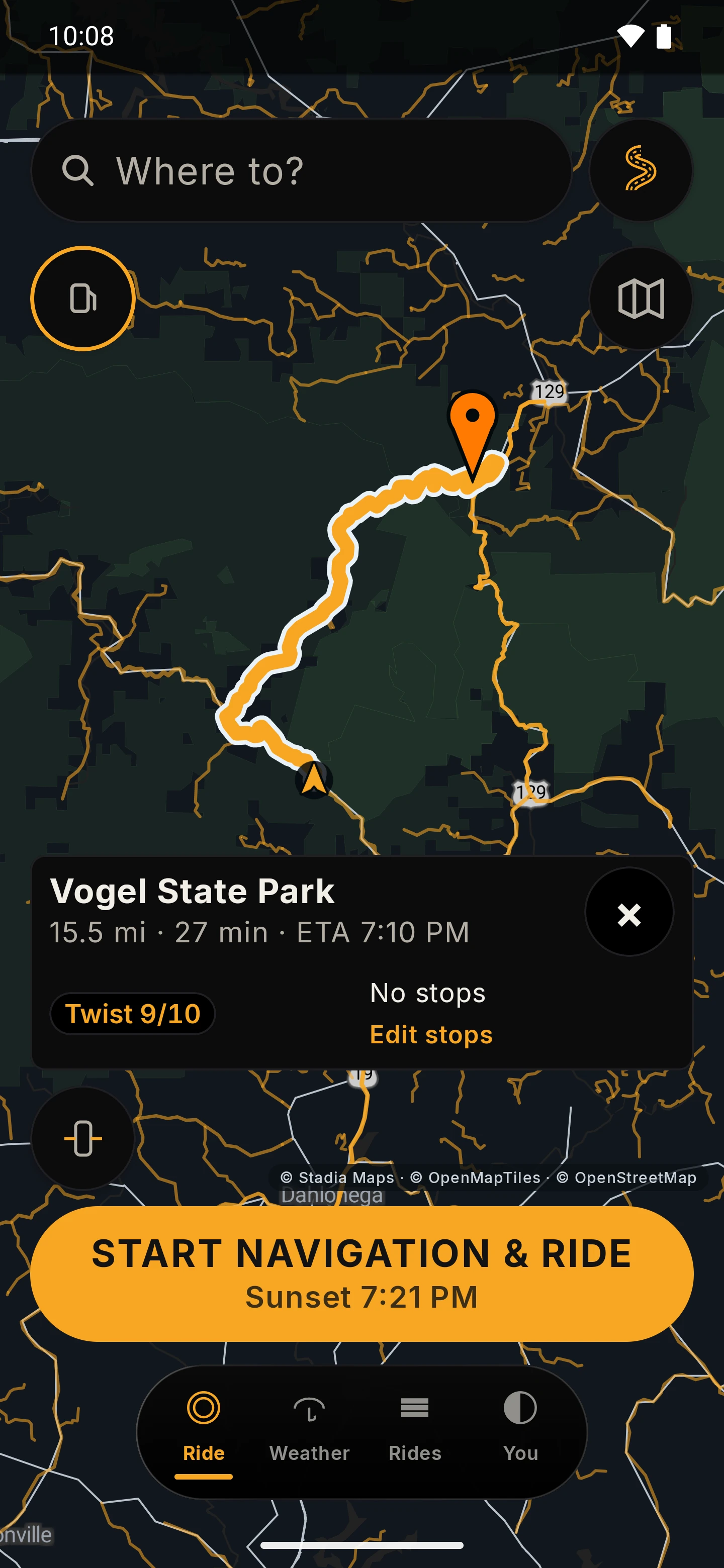
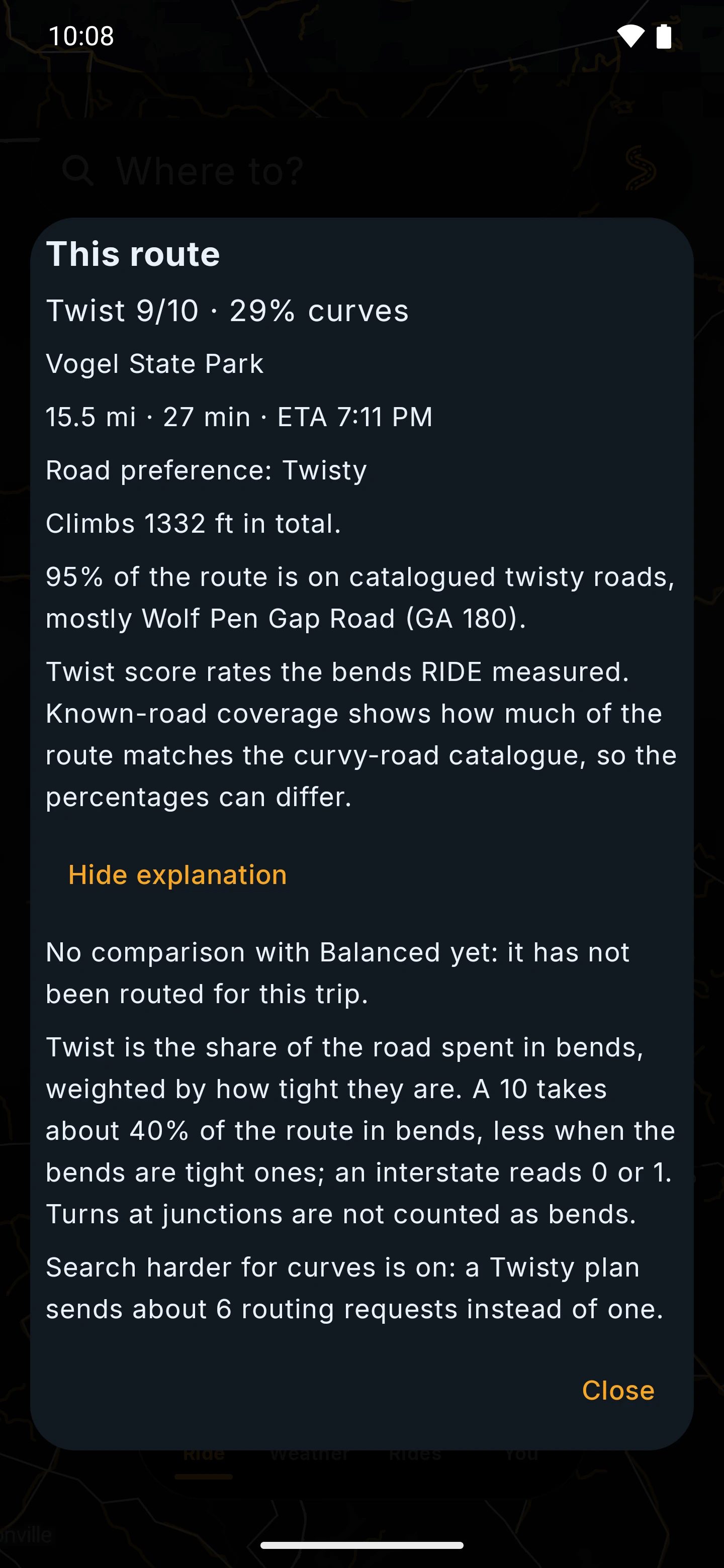
RIDE route card on a dark map: a 15.5 mile, 27 minute route to Vogel State Park with a Twist 9 out of 10 chip, Edit stops, and a Start navigation and ride button. Open larger image
Sept 2026 previewRoute card with a Twist score
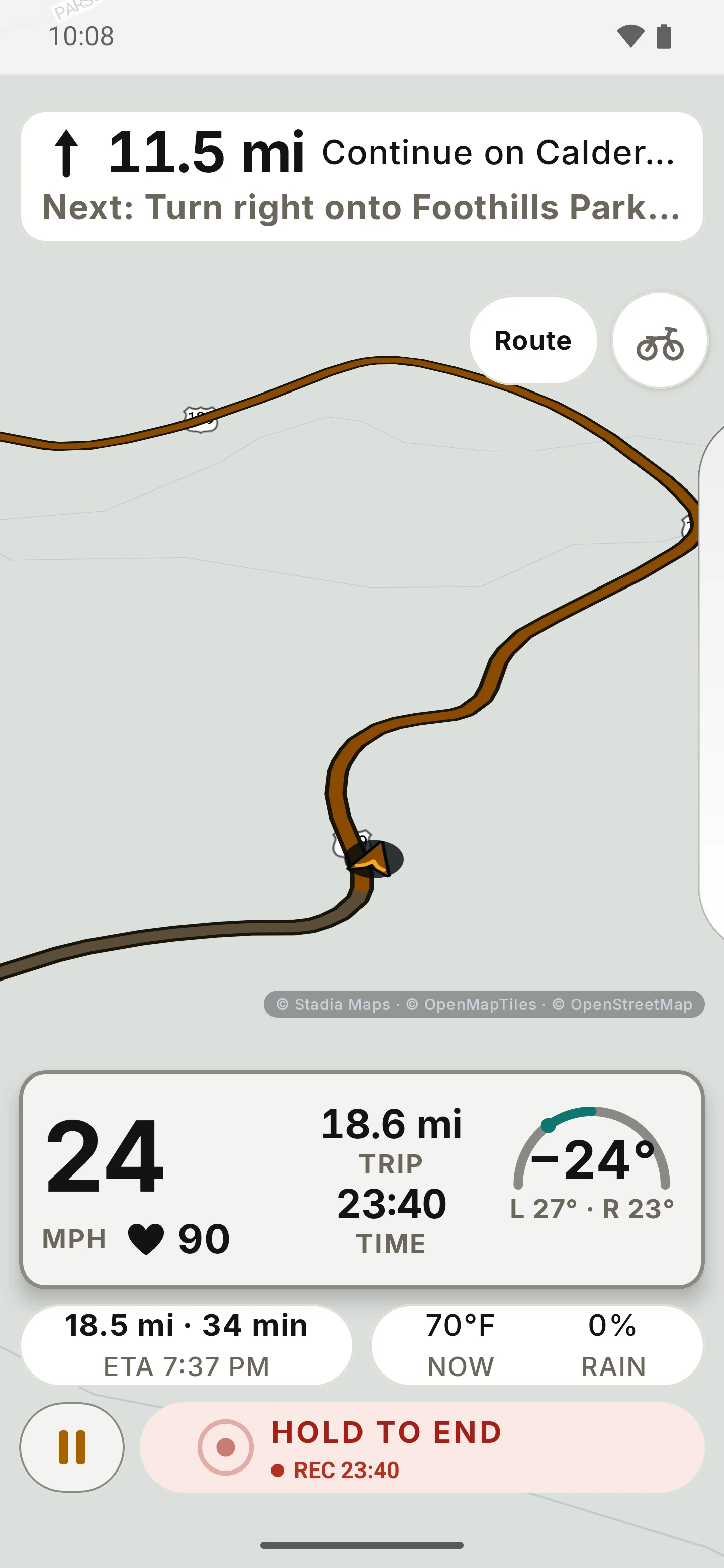
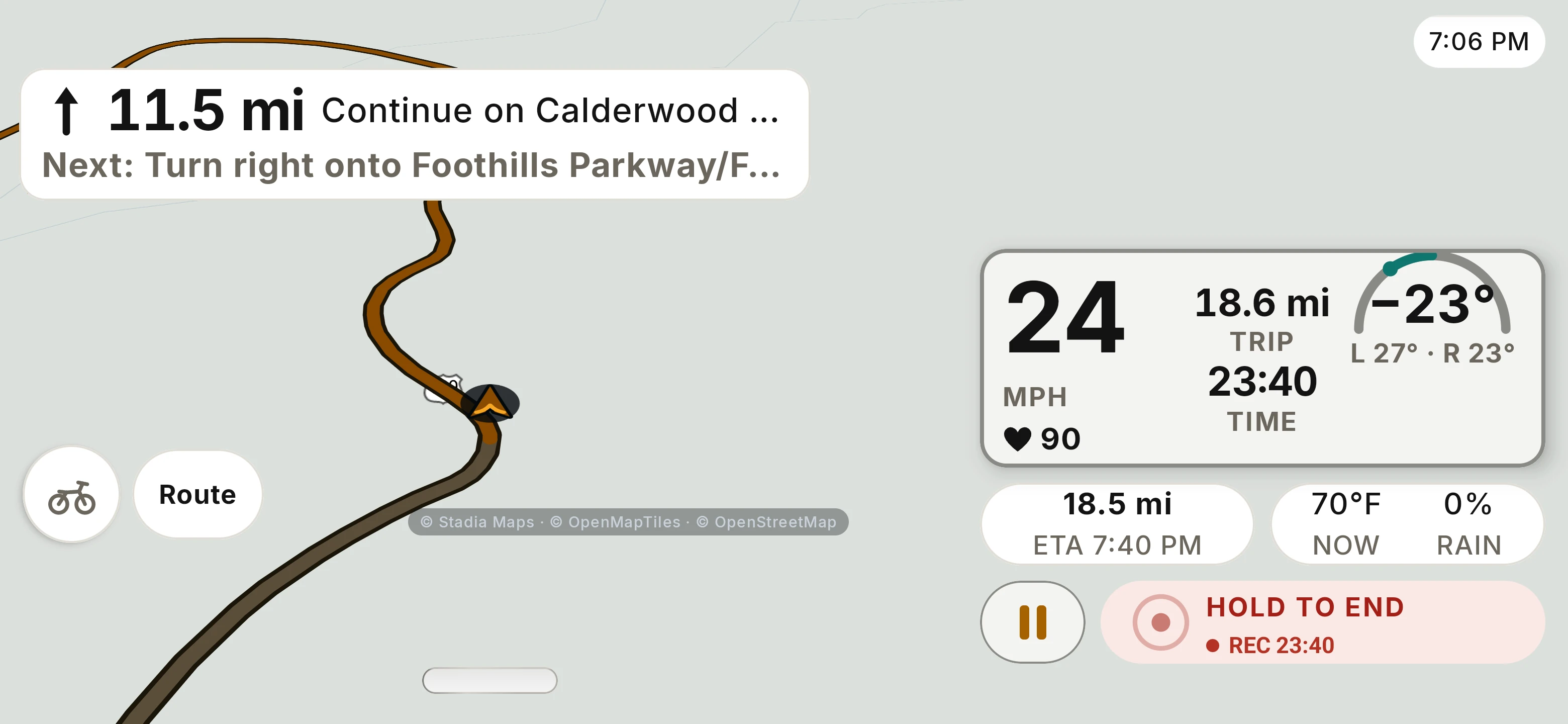
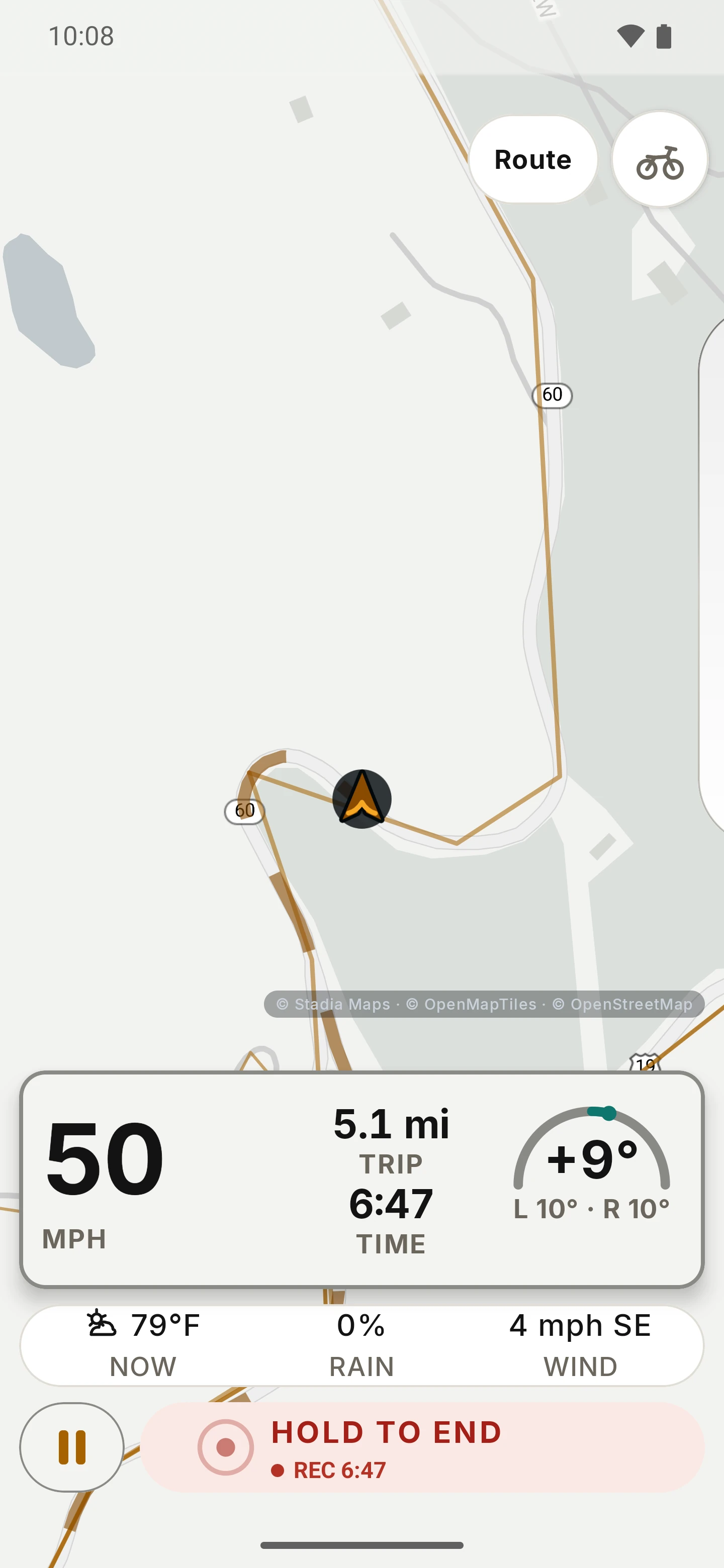
RIDE cockpit in the Day theme: a turn banner with 11.5 miles to continue straight and a right turn onto Foothills Parkway next, 24 mph, minus 24 degrees of lean with left and right maximums of 27 and 23 degrees, trip 18.6 miles, ride time 23:40, a pause button and a hold-to-end control. Open larger image
Sept 2026 previewCockpit: speed, lean and trip

Screens on this page are dated previews from a September 2026 demonstration build on an emulator with synthetic data, not the closed-beta build.

PlatformAndroid phone, with an optional paired Wear OS watch.

Beta audienceInvited testers in the United States, adults 18+, English (US).

No account neededNo RIDE account or purchase is required to plan or record rides in the closed beta.

Your ridesSaved on your phone. RIDE has no ride-history cloud sync.

Before. During. After.

Built around the ride, not the commute.

RIDE helps you choose the road, keeps what matters in view while you ride, and remembers the day afterwards.

About the features on this pageDescriptions and screens come from the September 2026 preview build (RIDE 0.7.0). The closed-beta build may differ, and the invitation will say what it includes. Nothing here promises a date, a device or a result.

A motorcycle with its headlight on leans gently through a curve on a mountain road at blue hour.
Illustrative sceneA mountain road at blue hour. Not a screenshot.

01 / Plan the ride

Pick how twisty you want it.

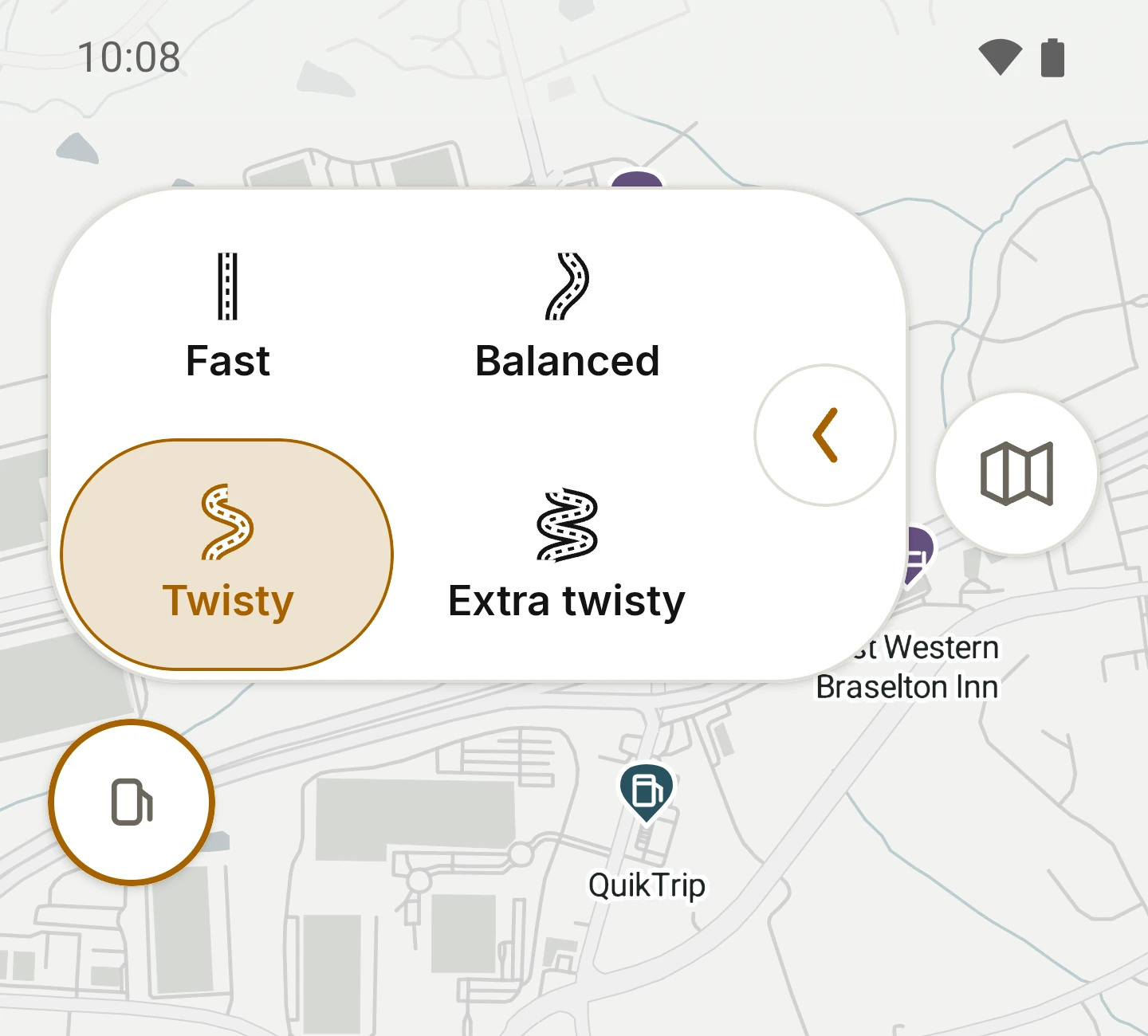
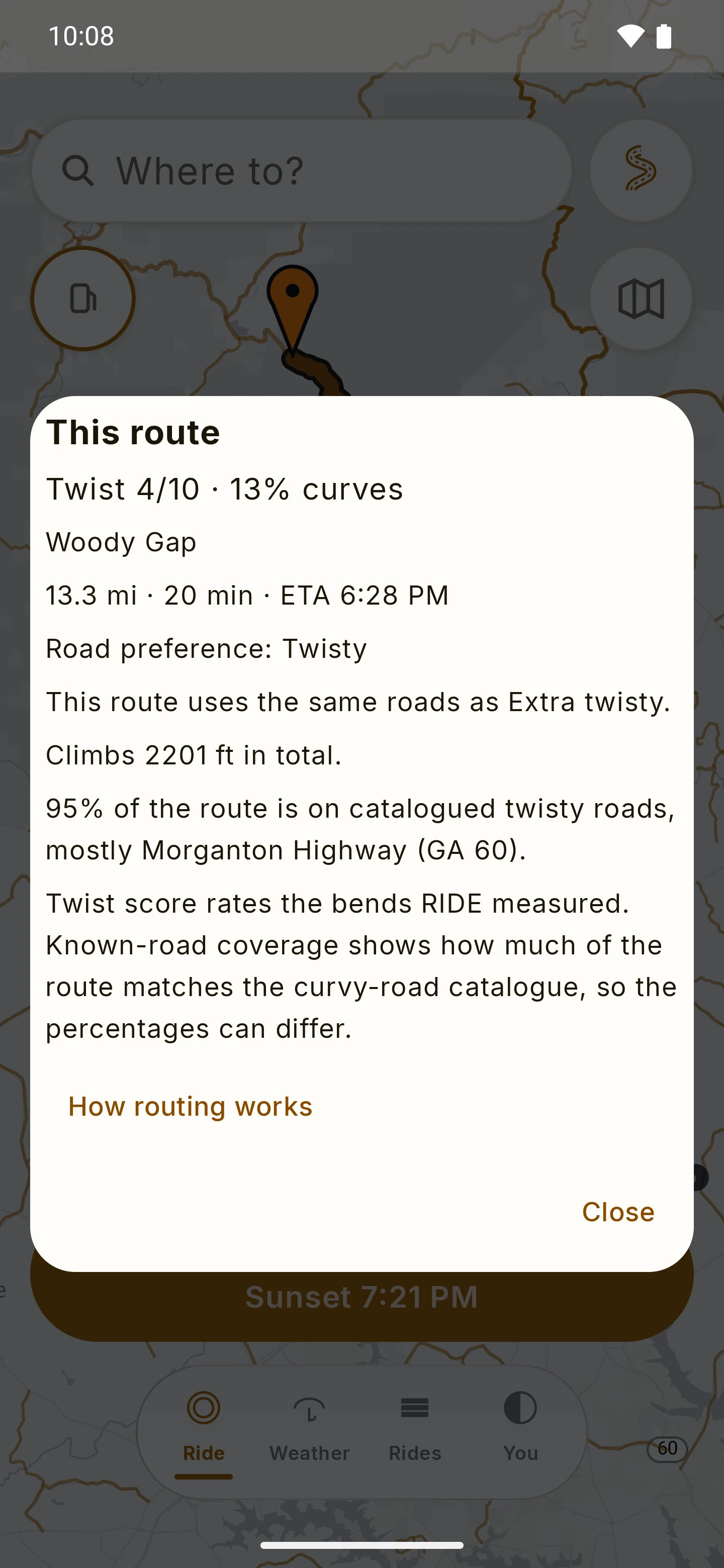
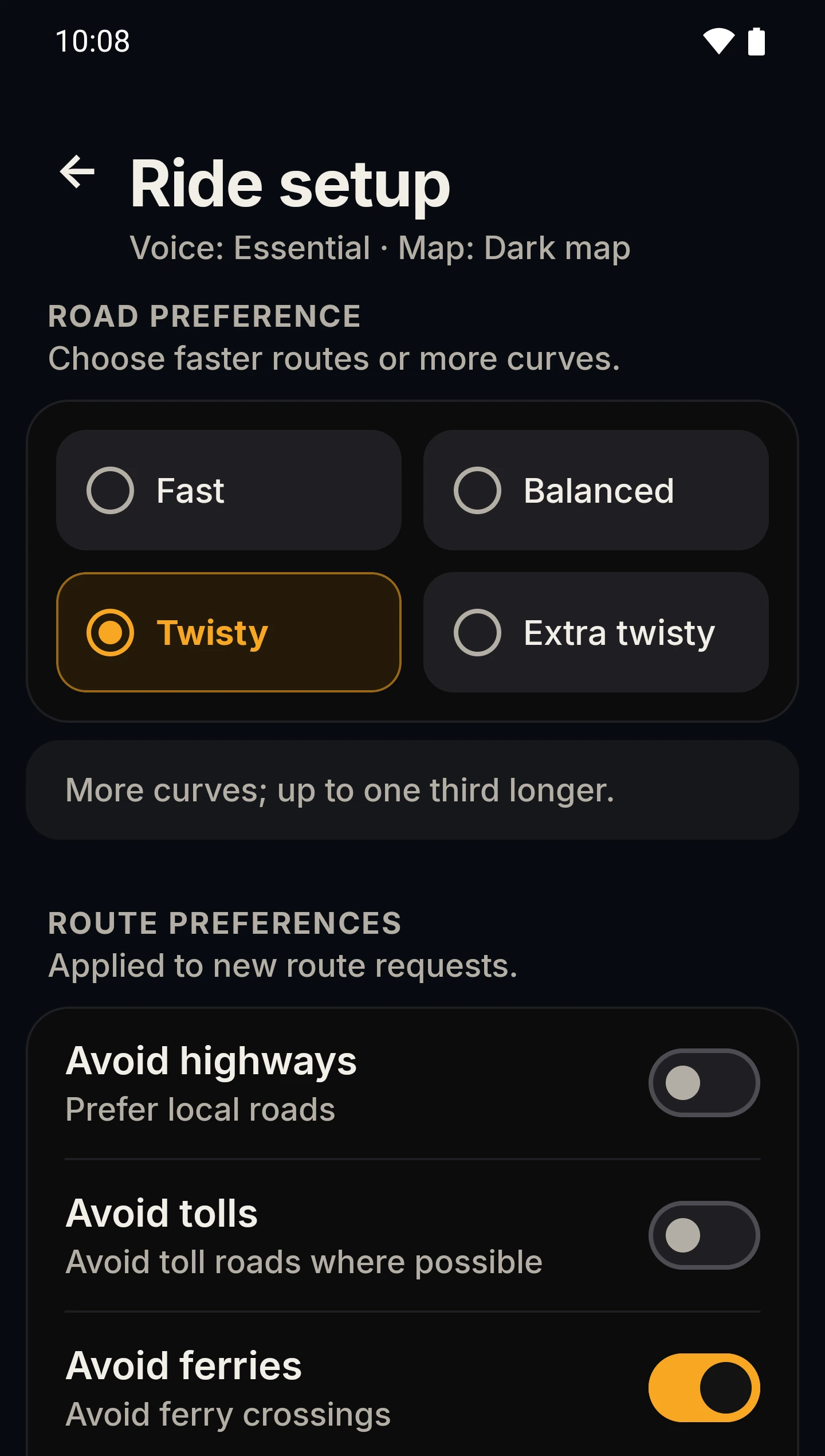
Type a place or drop a pin, then choose the kind of road you’re in the mood for. Fast heads for the quickest roads. Balanced sits in the middle. Twisty trades a little time for more curves, and Extra twisty goes all in: the scenic way, not the quick way. RIDE scores each route for twist, so you know what you’re getting before you set off.

Road preference
Fast, Balanced, Twisty or Extra twisty, with a Twist score out of 10 and the share of the route spent in curves.
Stops and pins
Add a coffee stop or a fuel break, drag to reorder, skip one on the day. The preview supports up to eight stops on a route.
Bring your own
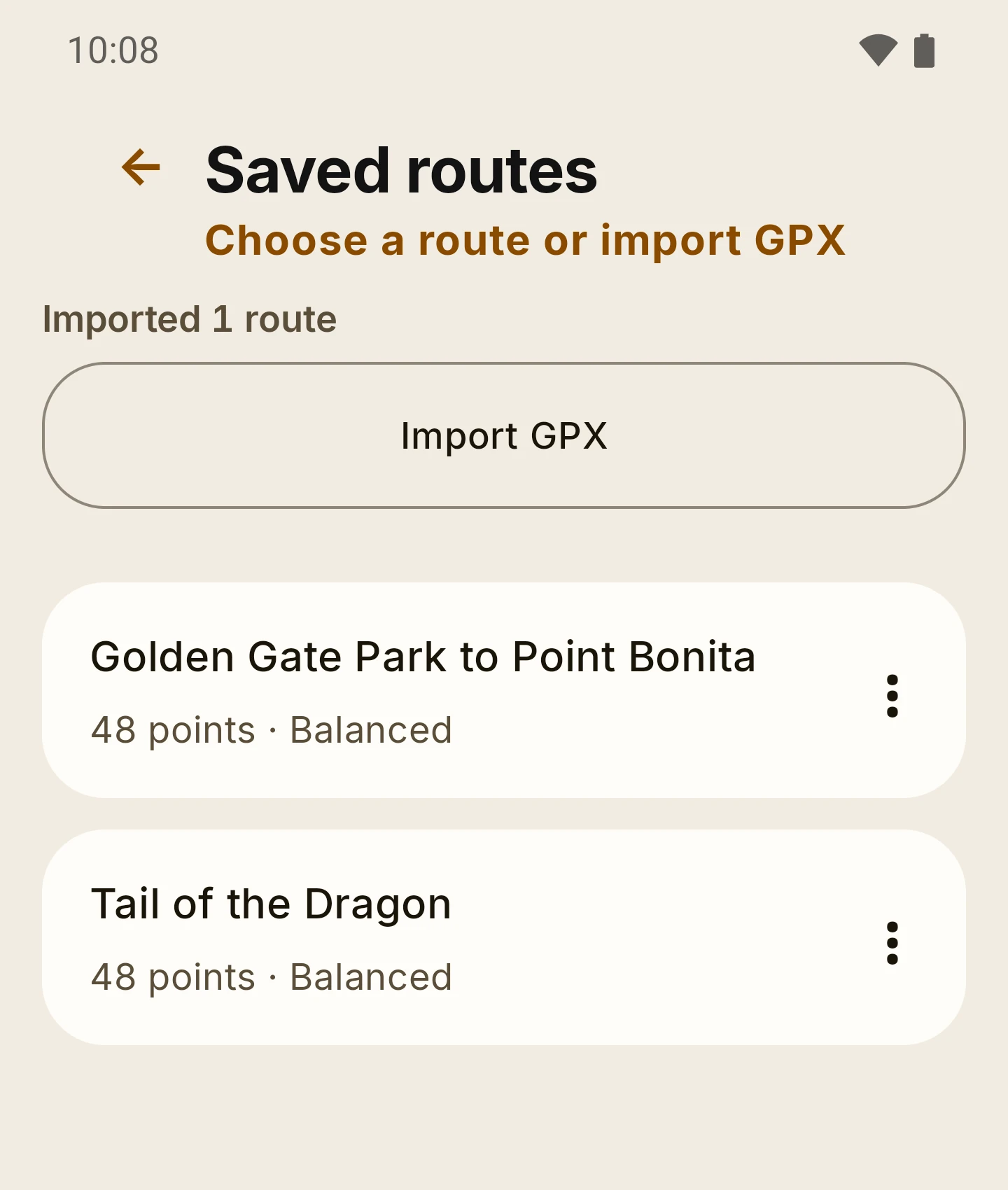
Import a GPX route or track, keep saved routes, and find fuel and places nearby to route straight to them.
Underway
Turn-by-turn on screen and by voice, Essential or Detailed. Routing and rerouting are online; a bounded map cache does not guarantee that a new route can be calculated offline.

The Twist score is RIDE’s own measure of how much of the road is spent in bends, weighted by how tight they are. It describes a route; it does not make a road safe, and a suggested route never replaces your judgment of the road.

More planning screens

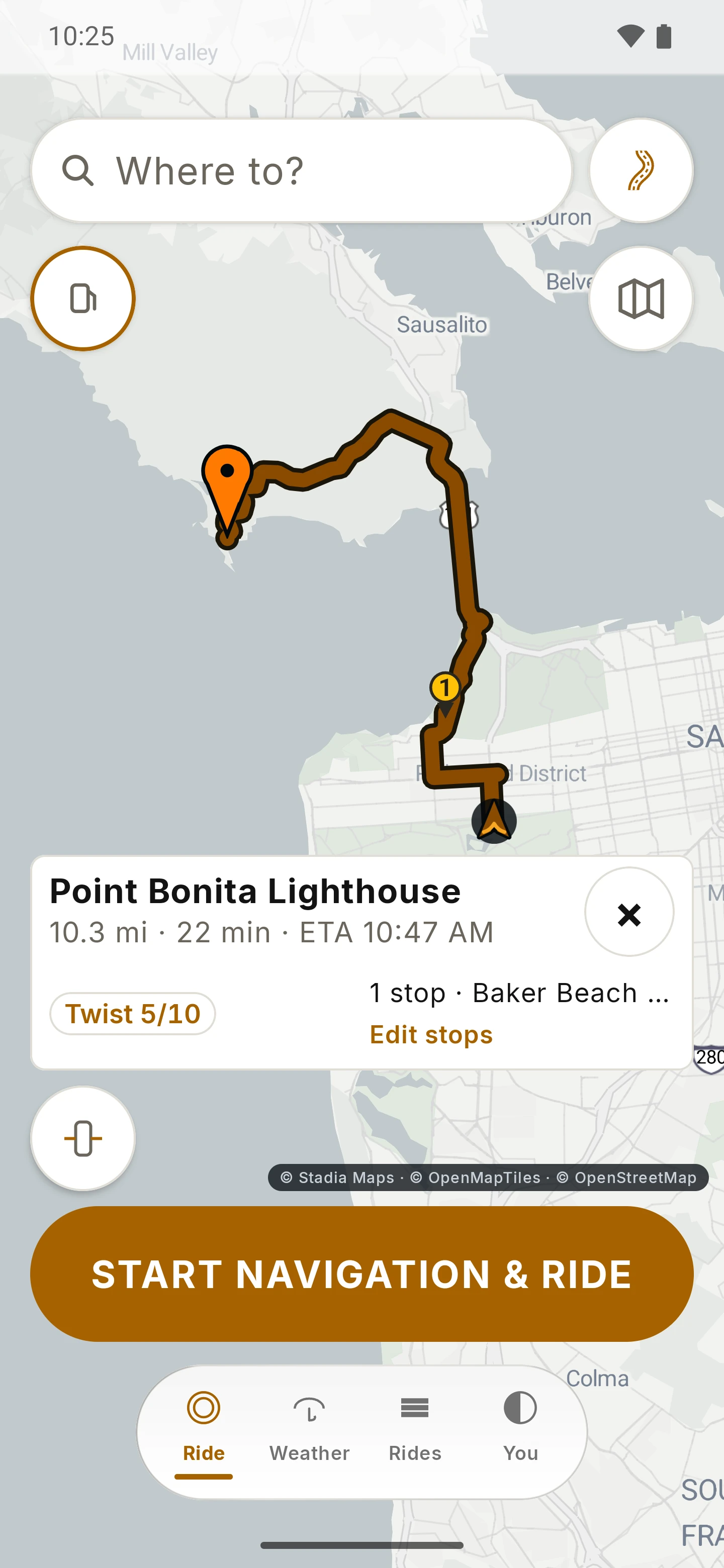
RIDE route to Point Bonita Lighthouse: 10.3 miles, 22 minutes, one stop, a Twist score of 5 out of 10, and the Start navigation button. Open larger image
Sept 2026 previewA route with one stopTwist 5/10, demonstration route.
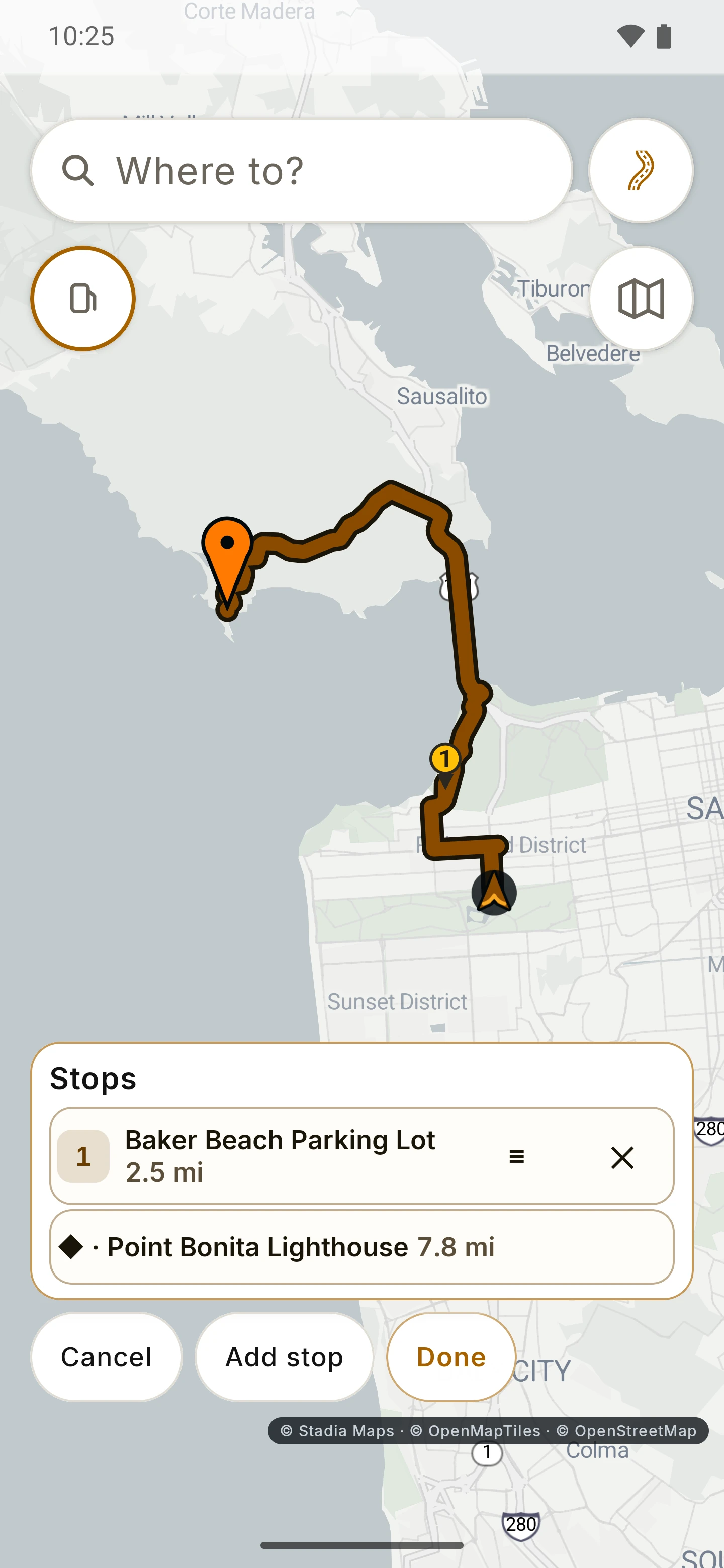
RIDE stops editor with Baker Beach Parking Lot as stop one before Point Bonita Lighthouse. Open larger image
Sept 2026 previewDrag to reorder stopsSkip a stop on the day.

02 / Ride

Your cockpit. Your point of view.

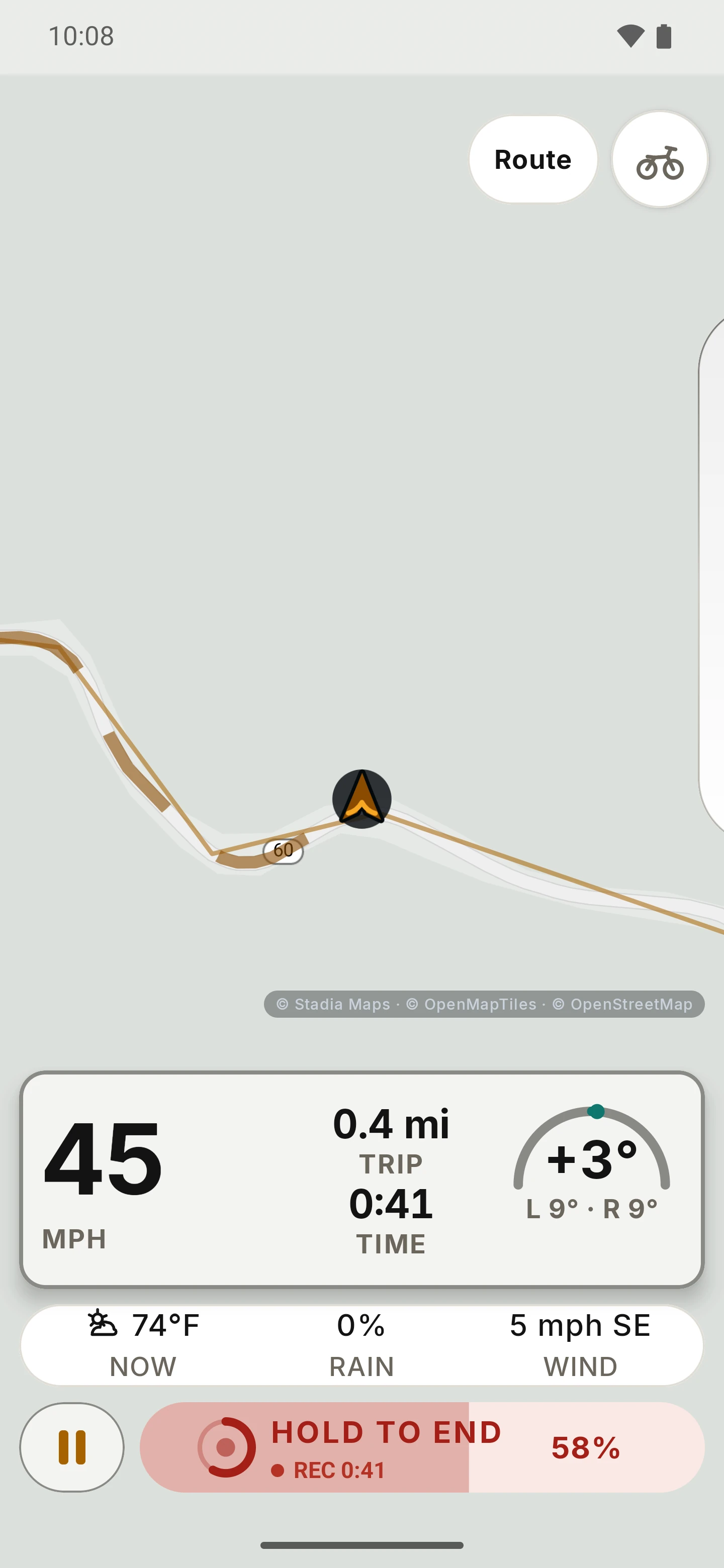
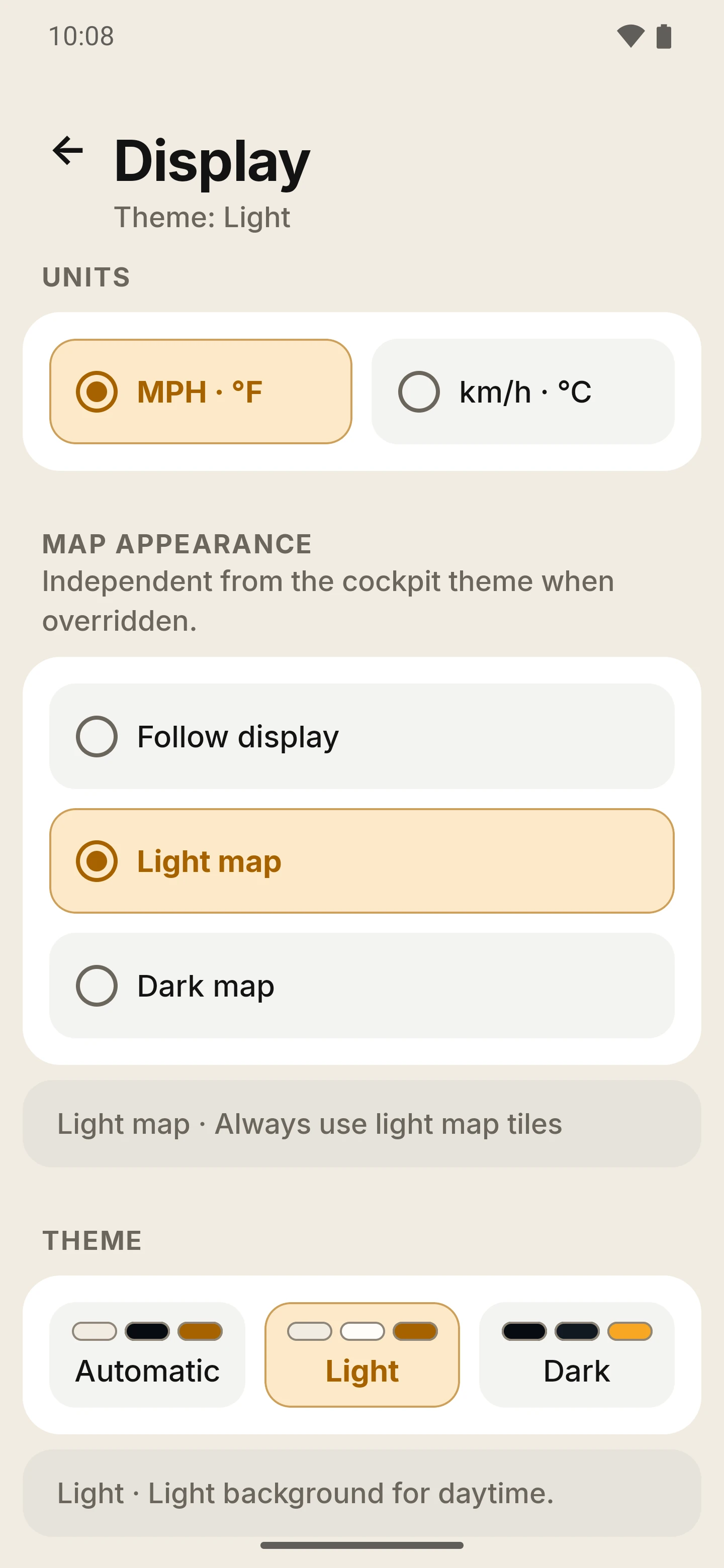
One glance card with speed, trip, ride time and lean angle. A turn banner that also names your next stop. Flip to landscape on a wide mount, and pick Light, Dark or Automatic for the light you’re riding in.

Glance card
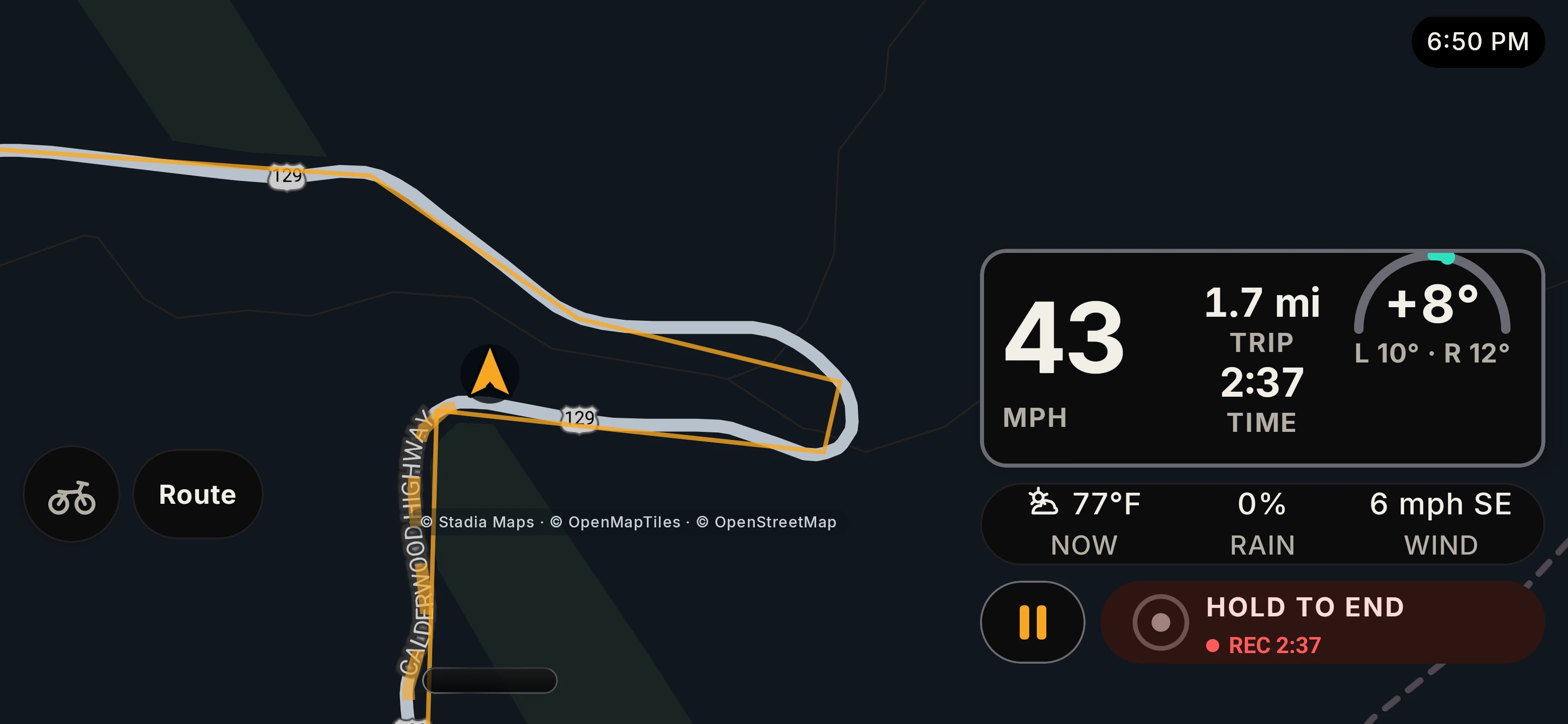
Speed, lean angle with your left and right maximums, trip distance and ride time, in portrait or landscape.
Turn banner
Next turn and next stop, on screen and spoken. While you ride, the tab bar tucks away; a pull tab brings it back.
Lean, signed
Minus is left and plus is right, and your left and right maximums stay underneath the reading. Lean and other sensor readings are estimates; they depend on how the phone is mounted and calibrated.
Your music
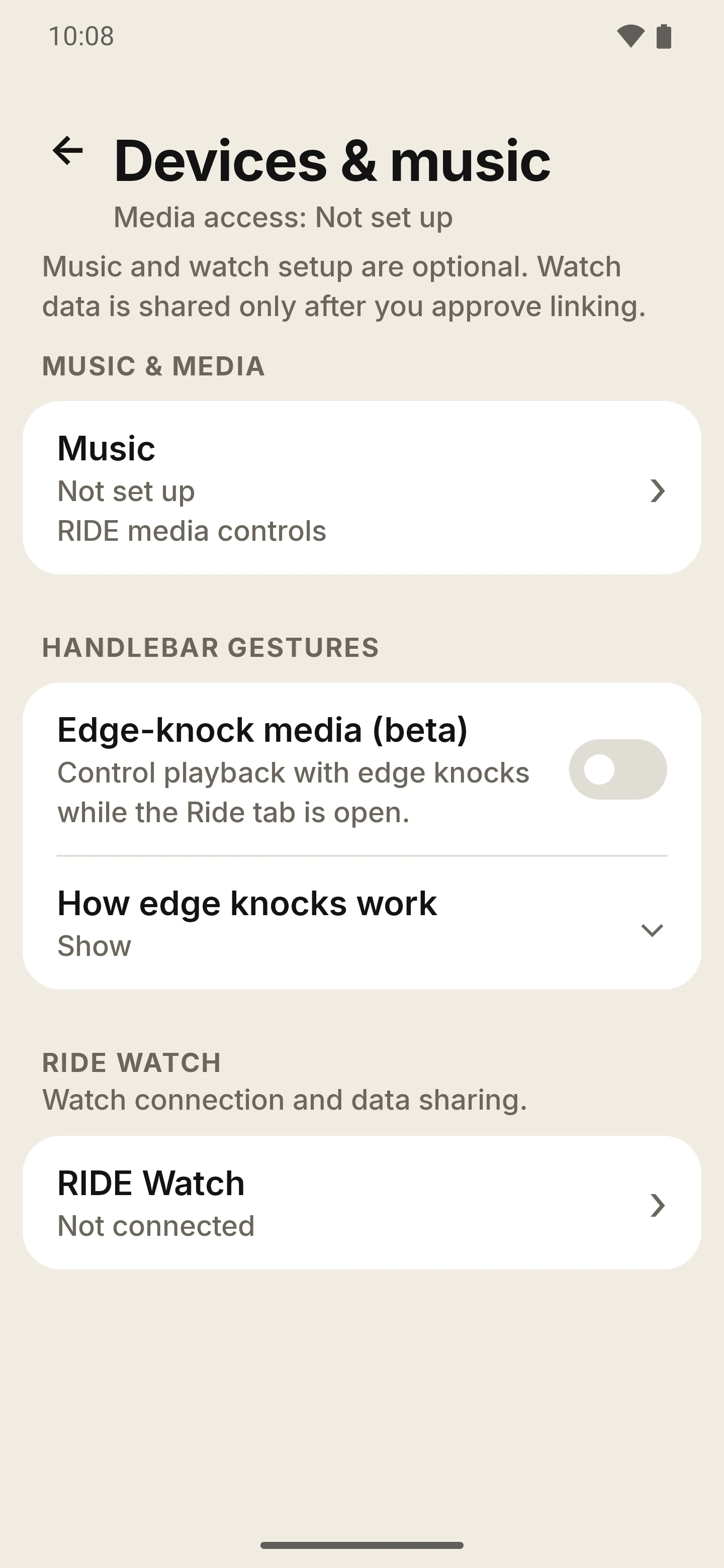
Play, pause and skip the music app you already use. Edge-knock track skipping is a beta setting that is off until you switch it on; use it only when taking a hand off the bars is safe, and stopped is best.
Glare and dusk
Light, Dark or Automatic theme, a map that follows it, and a Sunlight mode with stronger contrast for glare.

Set up and adjust RIDE while parked, and mount the phone securely so it never blocks your controls, instruments or view. Read the rider safety notice.

More ride screens

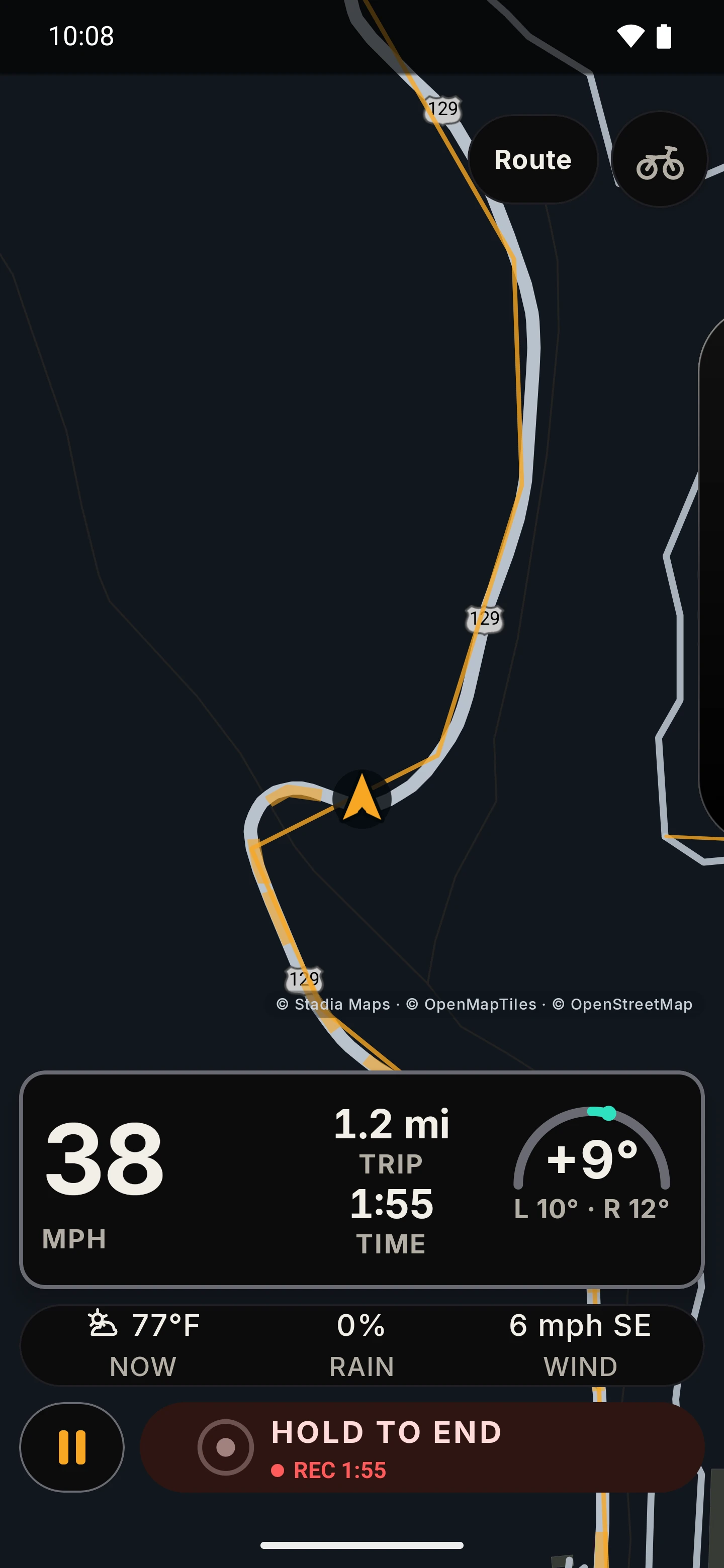
RIDE riding screen in the Dark theme on a dark map: speed 38 mph, trip 1.2 miles, ride time, a live lean reading with the left and right maximums filled in, a weather strip and Hold to end. Open larger image
Sept 2026 previewRiding screen, DarkSpeed, lean, trip and time; simulated demonstration ride.
RIDE landscape cockpit: the map on the left; on the right 24 mph, minus 23 degrees of lean, left and right maximums of 27 and 23 degrees, trip and ride time. Open larger image
Sept 2026 previewLandscape cockpitMap on one side, instruments on the other.

03 / Remember the ride

Some days deserve a second look.

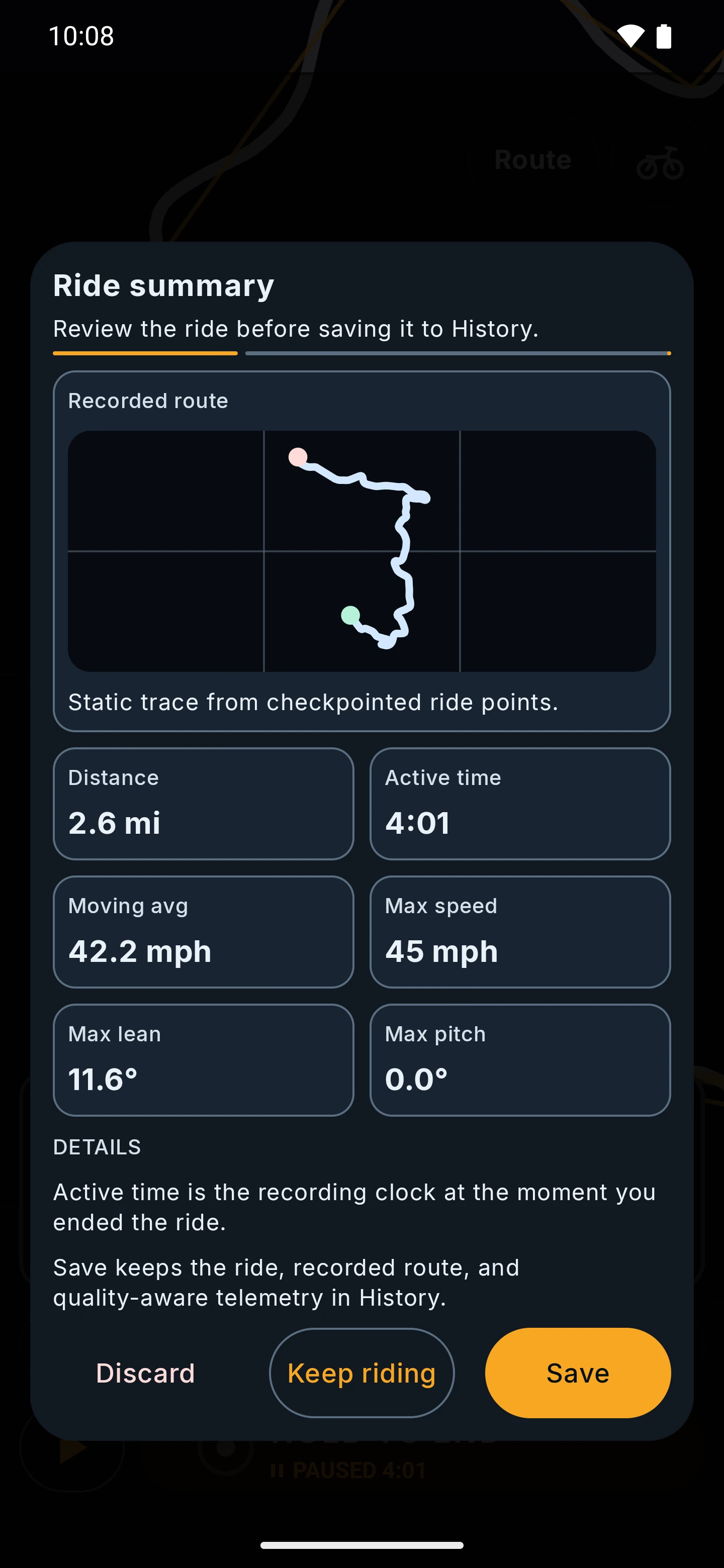
Tap record before you set off. Pause at the café, resume before you roll off, hold to end when you’re home. Every ride is saved on your phone with its route, distance, time and how far you leaned, and you can replay it on the map to find the good bits. Want the track somewhere else? Export a GPX and choose where it goes.

Recording
Start, pause, resume. Ending takes a deliberate hold, then you save, discard or keep riding. RIDE only suggests discarding a very short ride, and never does it for you.
Your rides
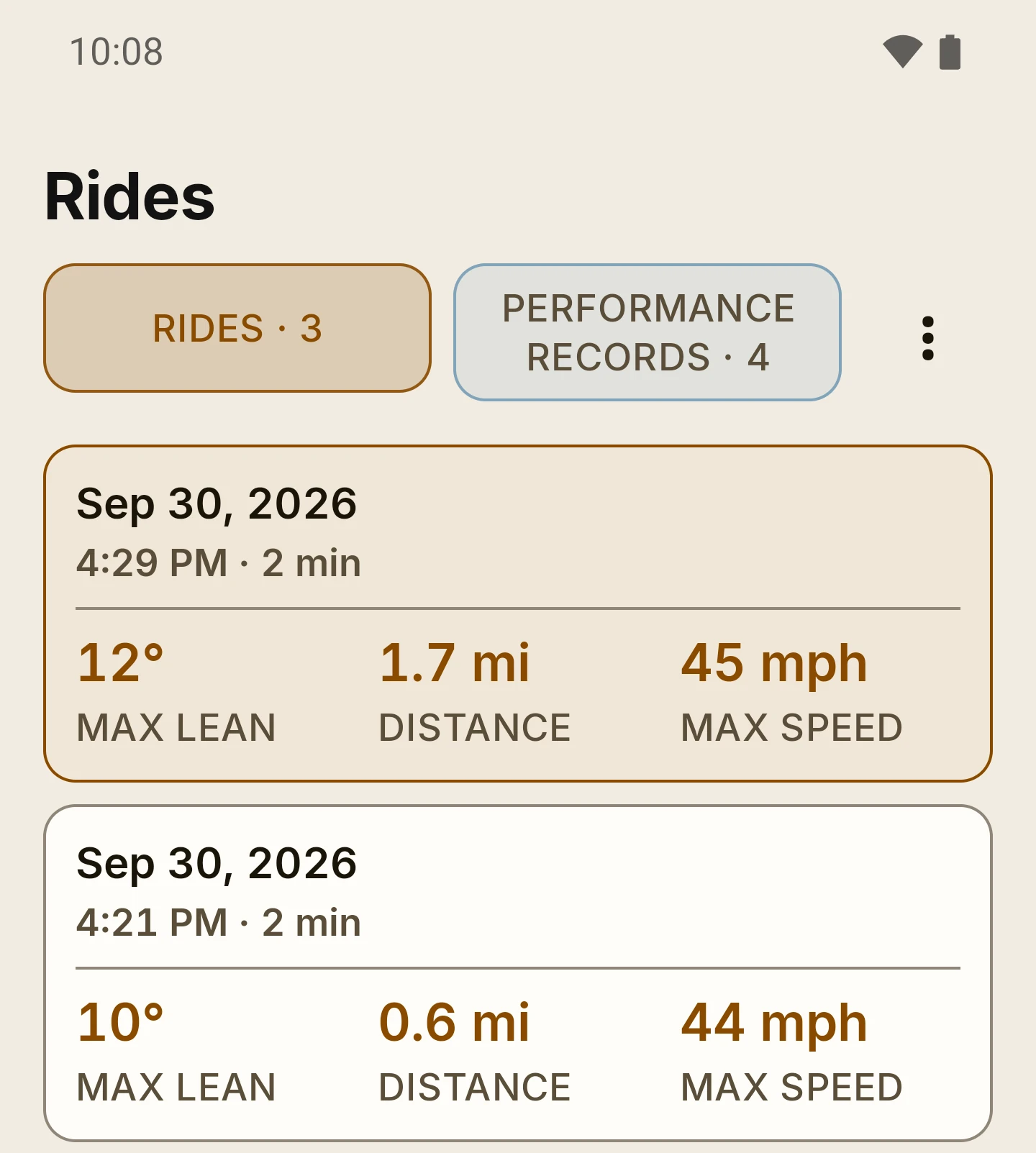
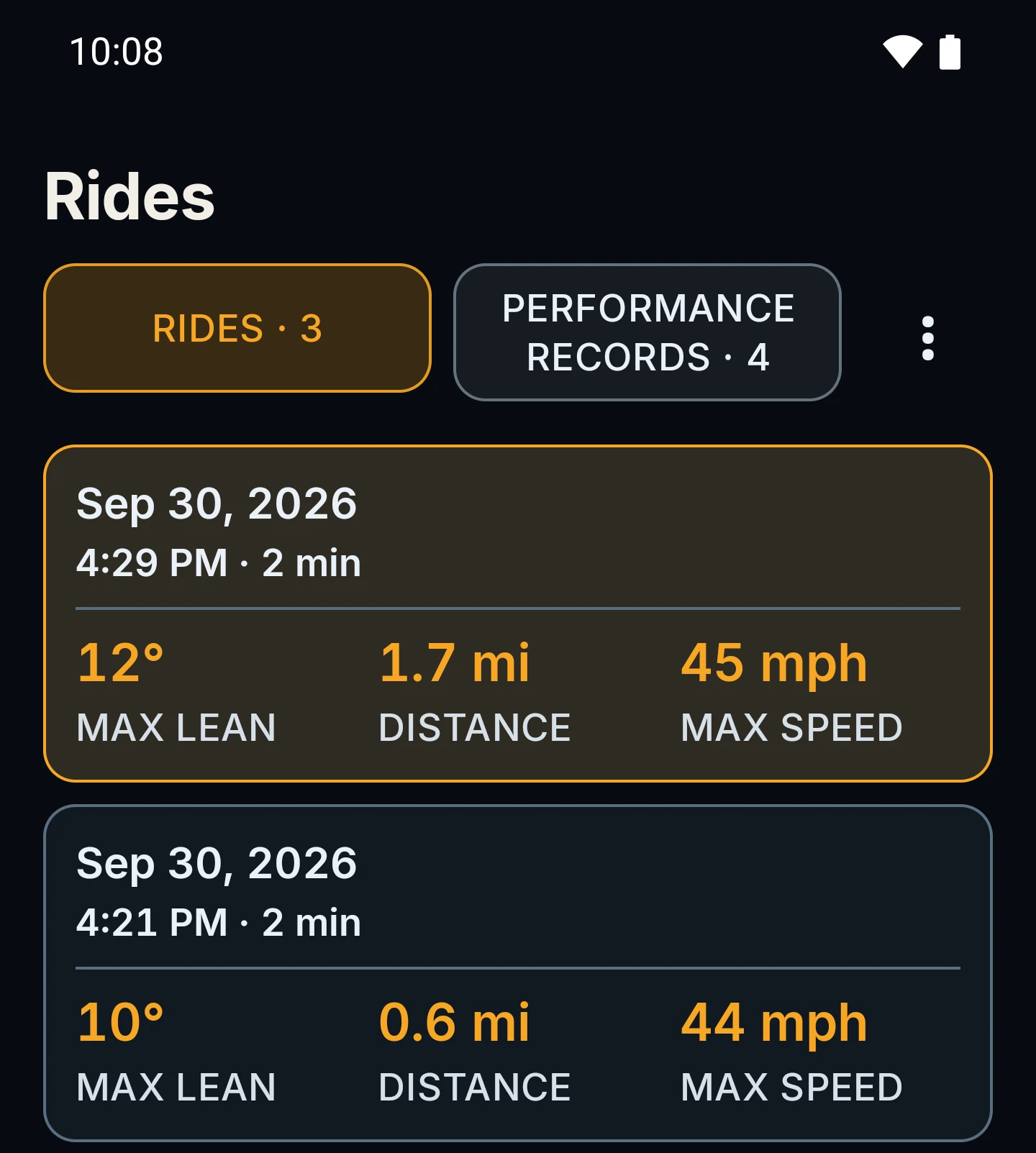
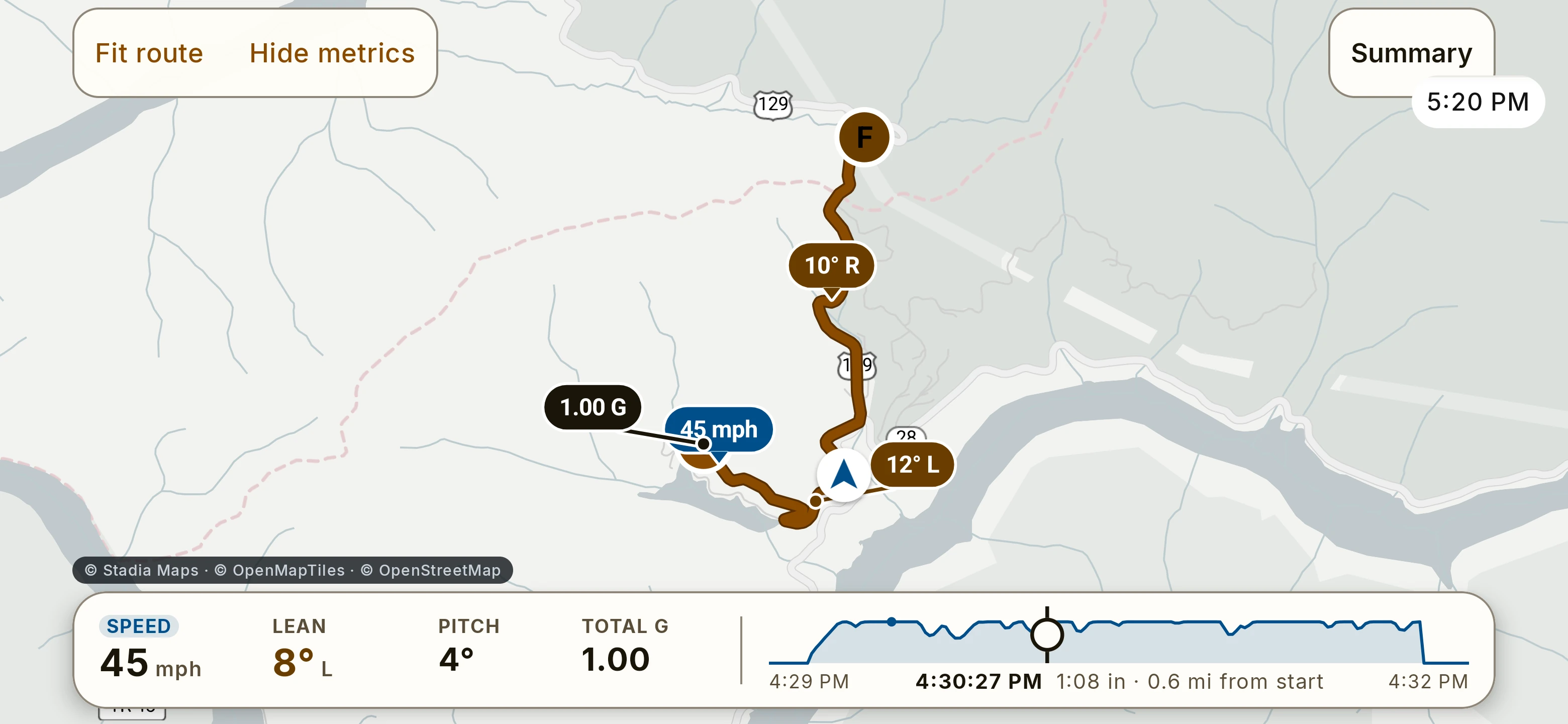
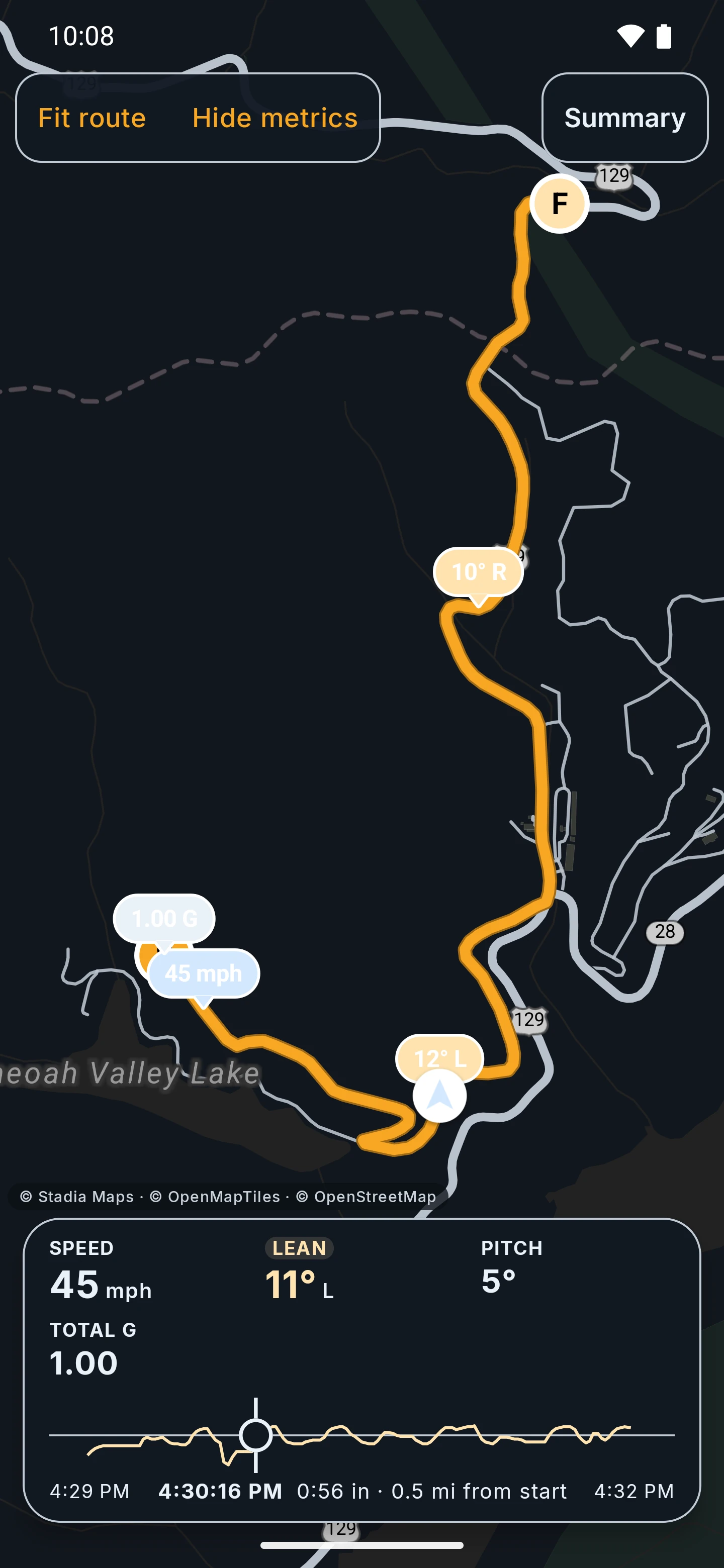
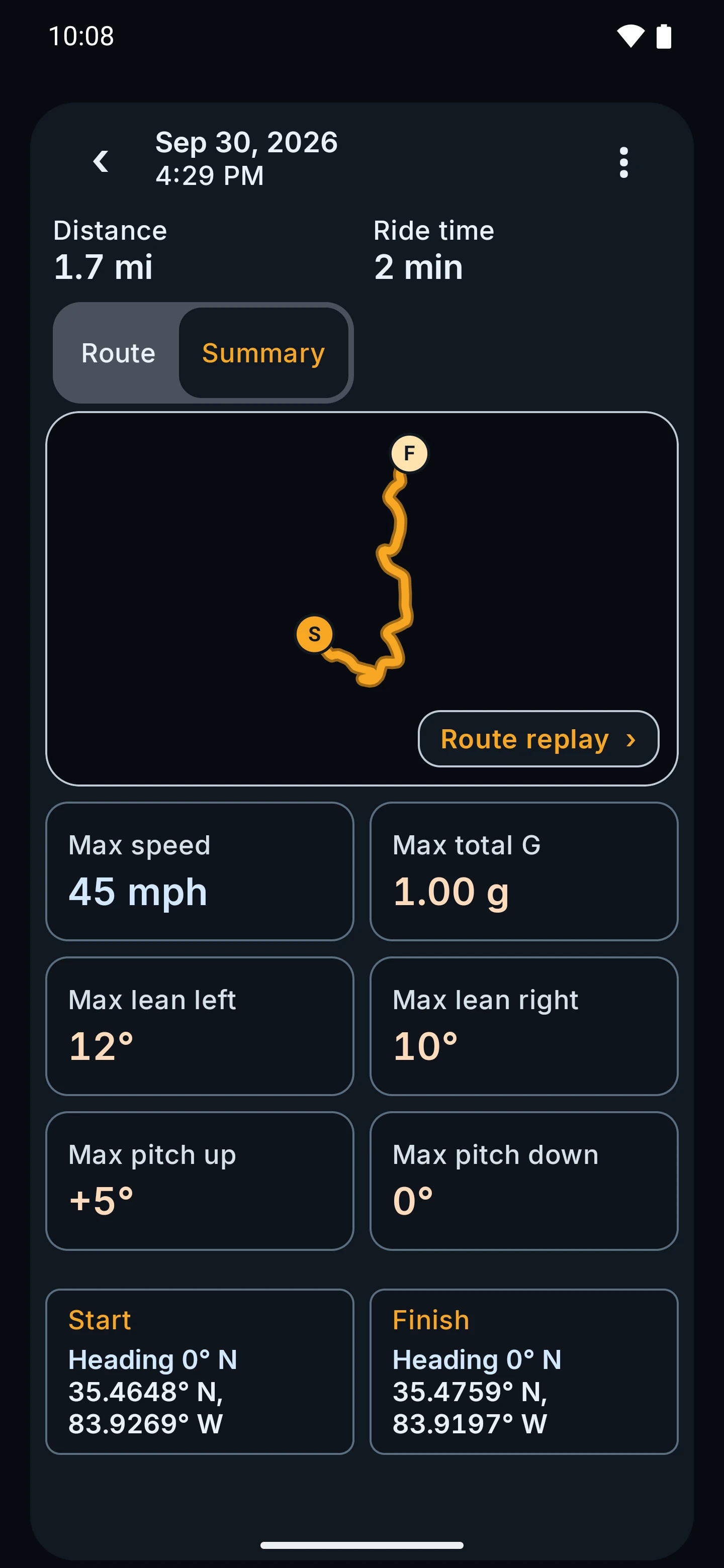
A Rides list with max lean, distance and max speed for each saved ride. Open one to replay it on the map with Speed and Lean tabs, and to read its summary.
Take it with you
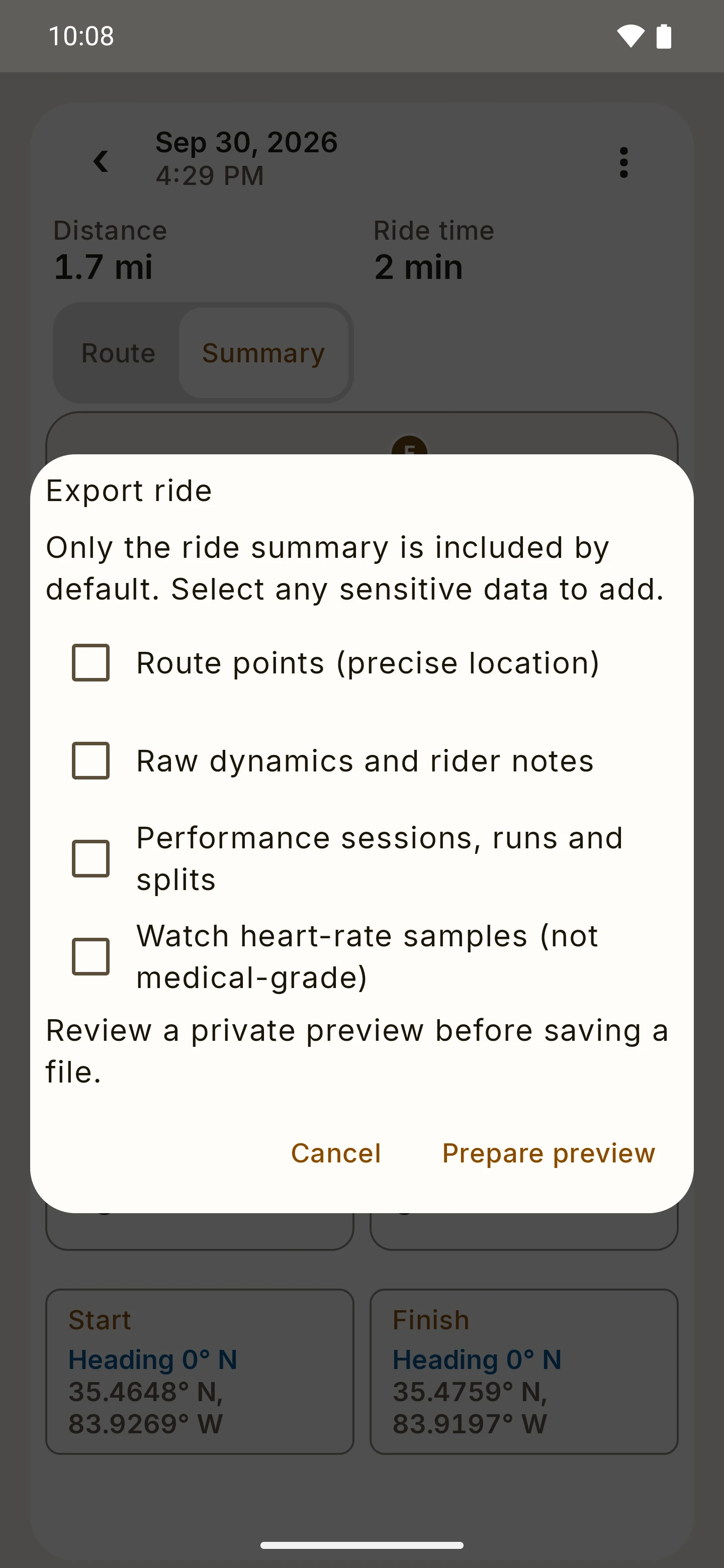
Export a GPX track or a ride summary file. Route points, raw dynamics, performance runs and watch heart-rate samples are each opt-in, and exports go only where you send them.
On your phone
Ride history stays in an encrypted database on your phone, and Android cloud backup is disabled for it. Deleting a ride asks you to confirm.

Replay peak pins were still in testing in the September preview. An exported file can reveal where and when you rode, so share exports with care; the Privacy Policy explains what stays on your devices and what is sent to services.

More replay screens

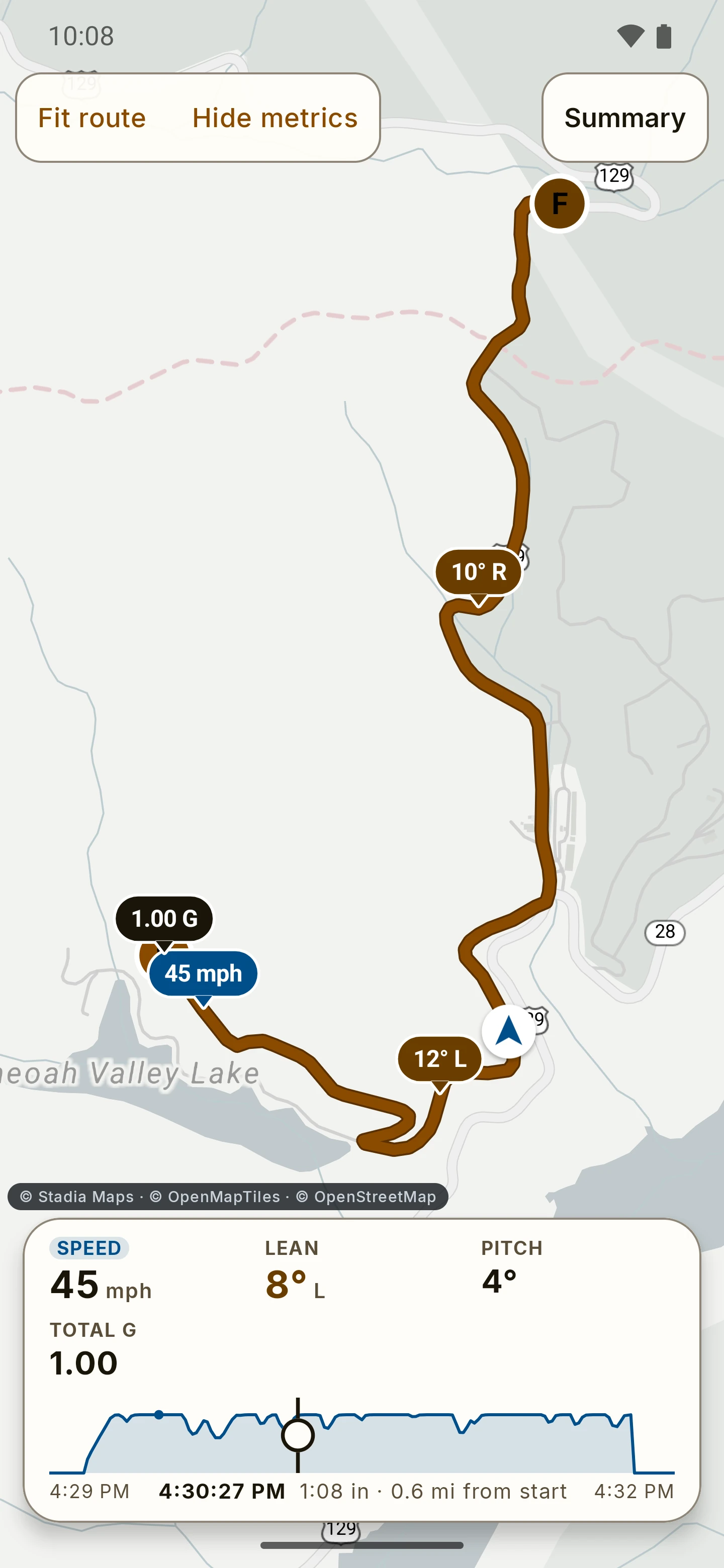
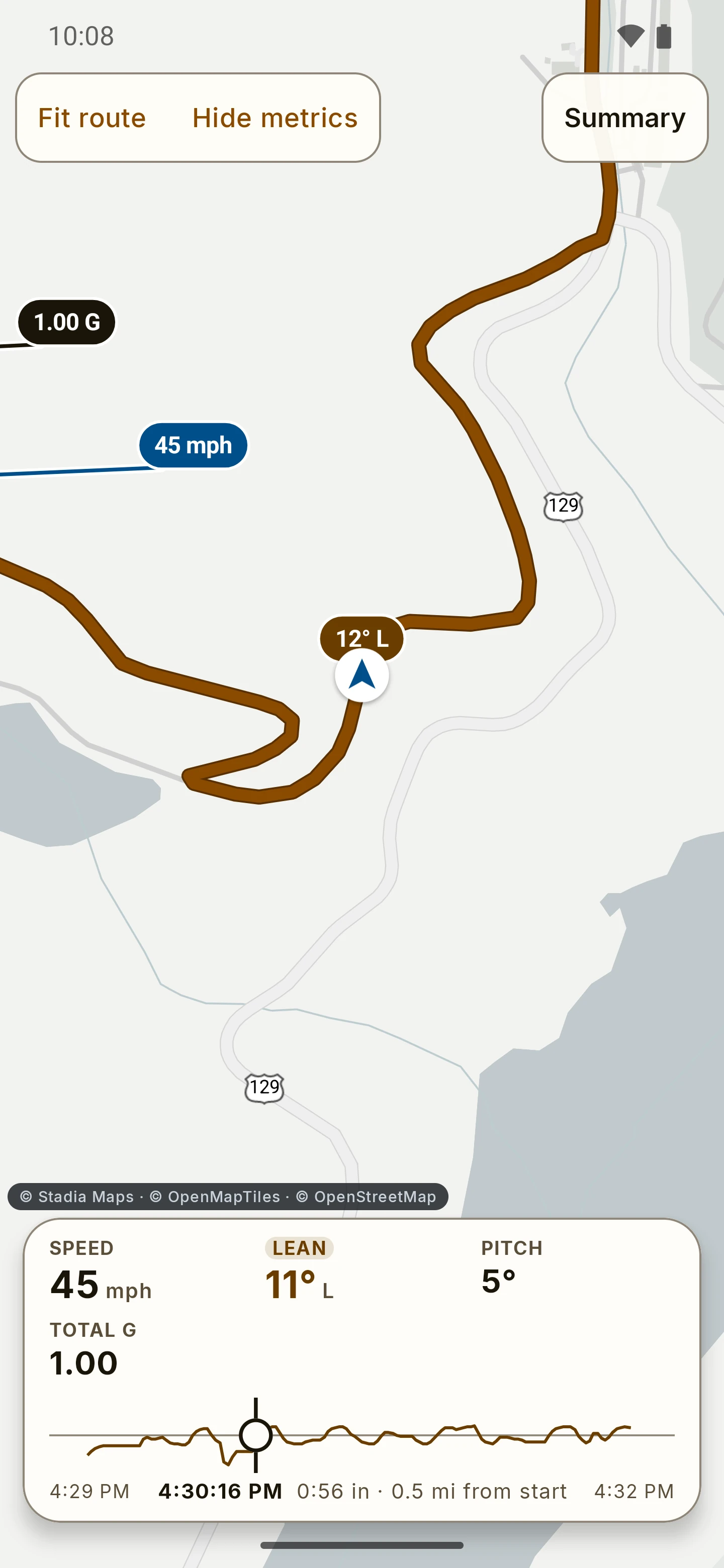
RIDE ride replay: the route on the map with a timeline dock whose Speed tab is open, and a pin at the top speed. Open larger image
Sept 2026 previewReplayThe route on the map with a Speed tab.
RIDE Rides tab: the Rides and Performance records switch and two saved rides, each showing its date, max lean, distance and max speed. Open larger image
Sept 2026 previewRides (screen detail)Max lean, distance and max speed for each ride.

Places on the map · United States only

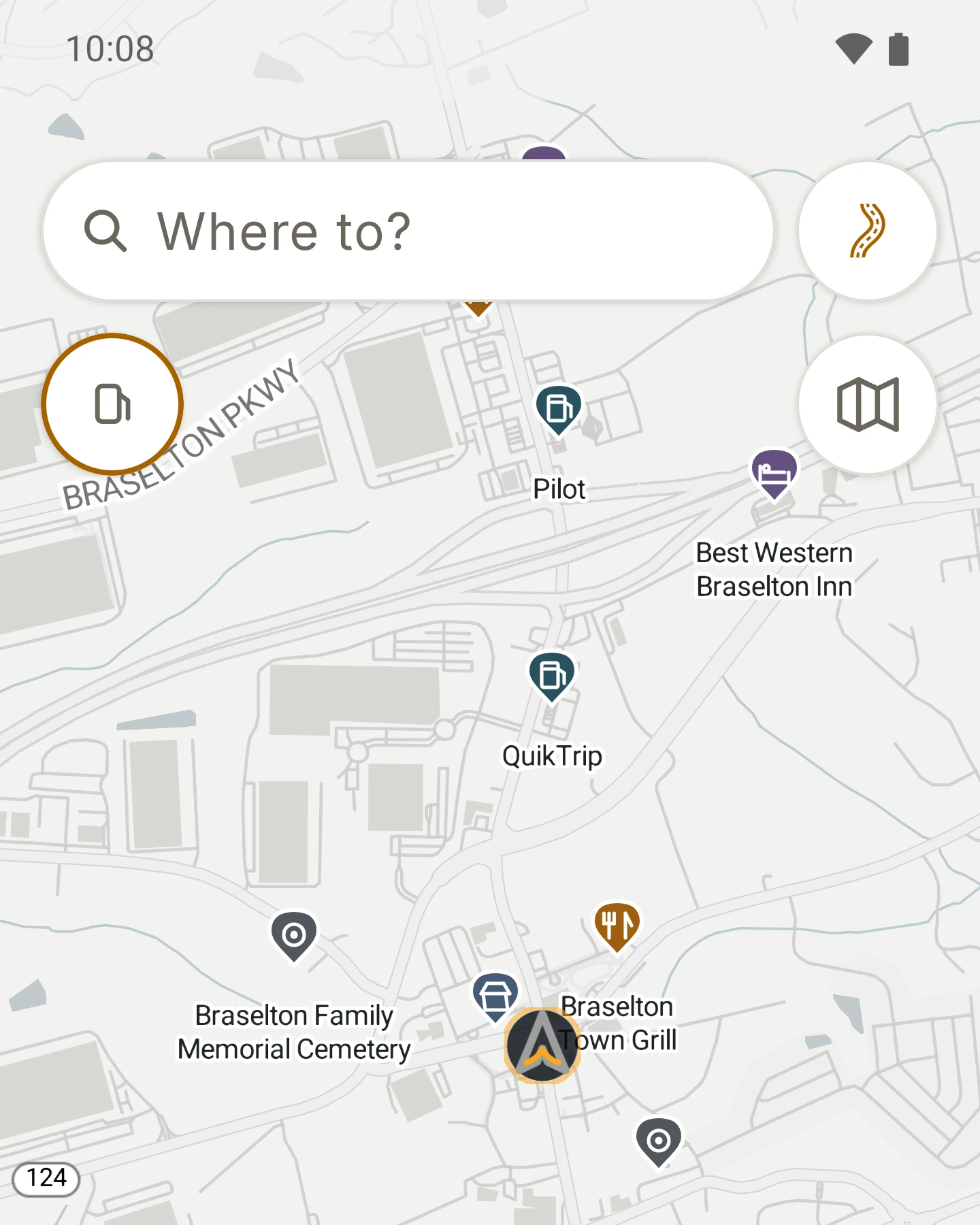
Fuel, food, coffee. Right on the map.

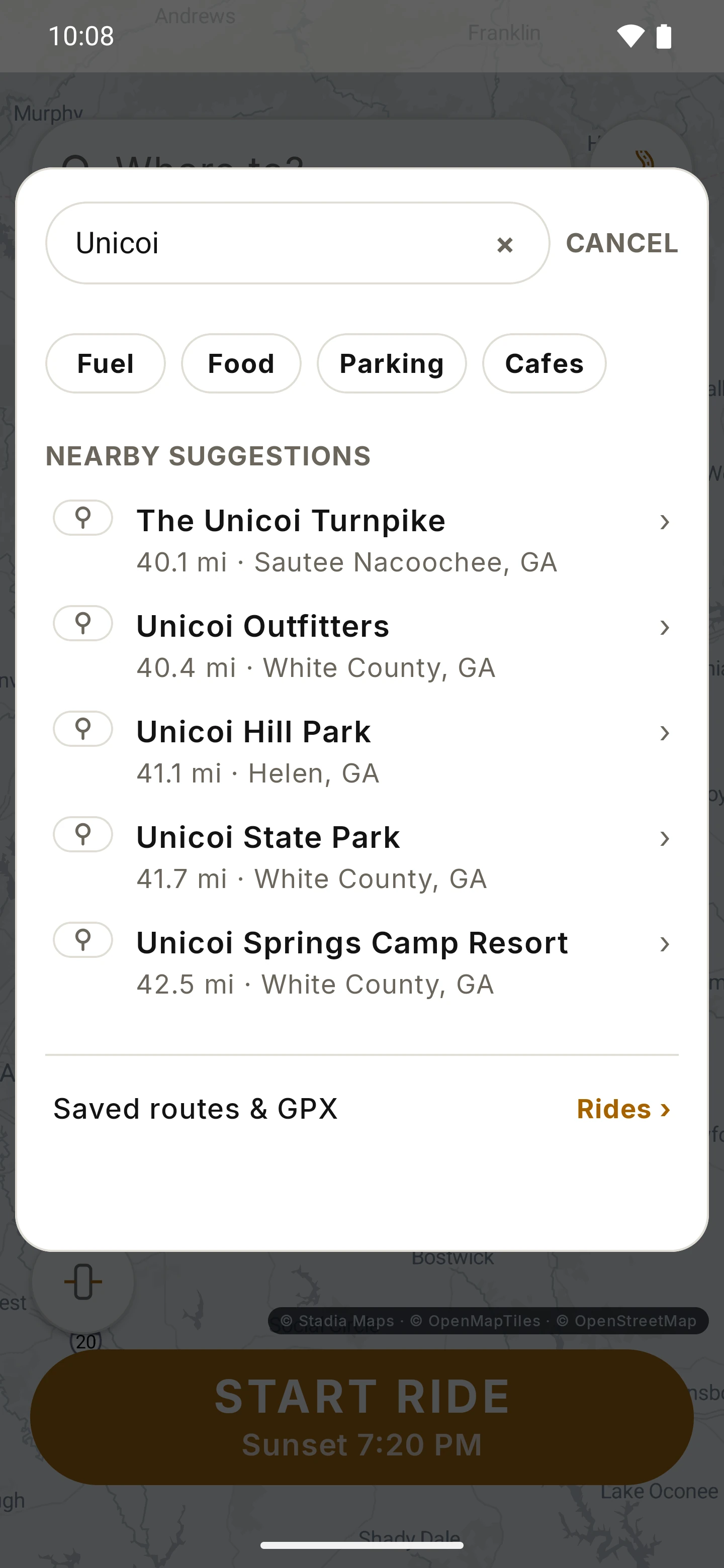
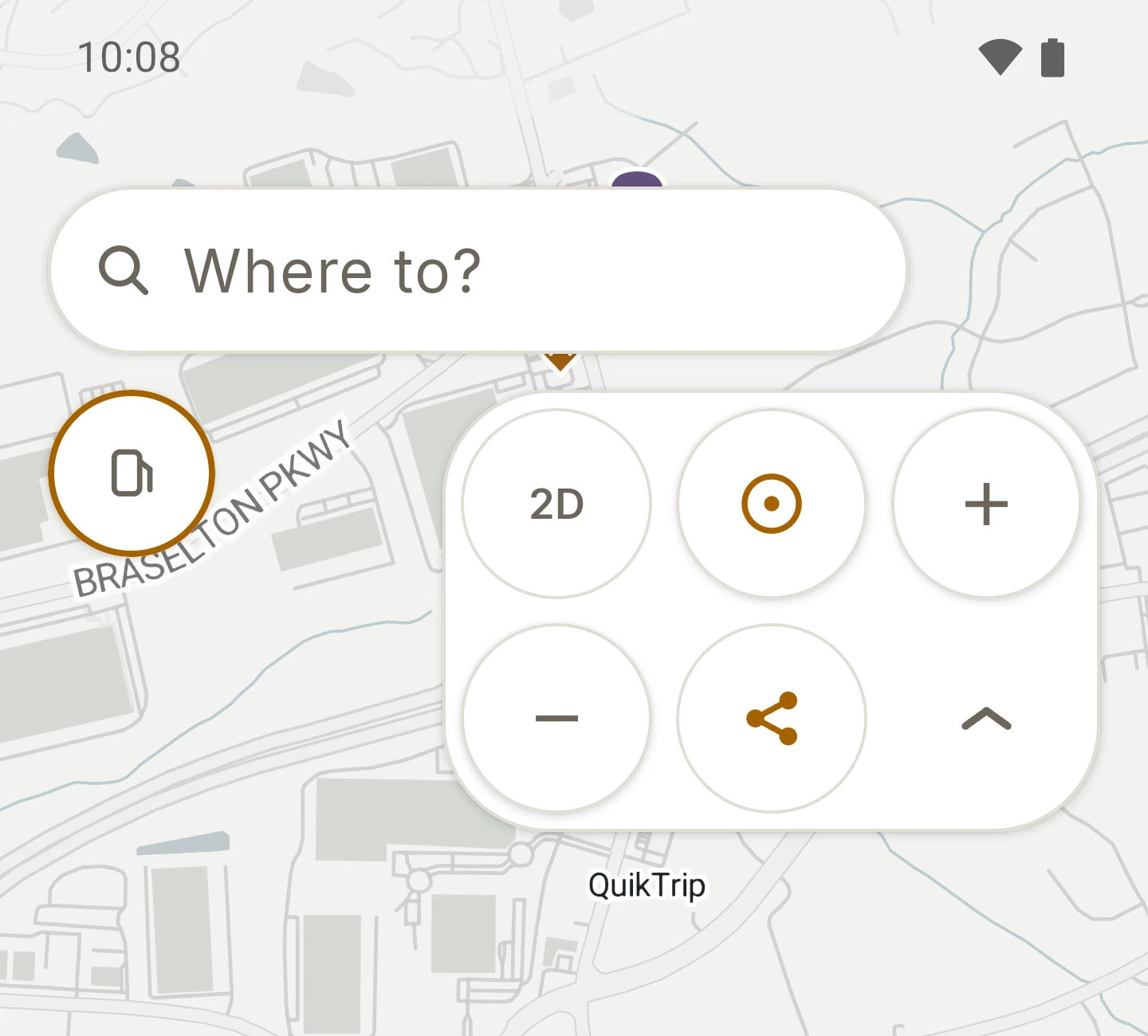
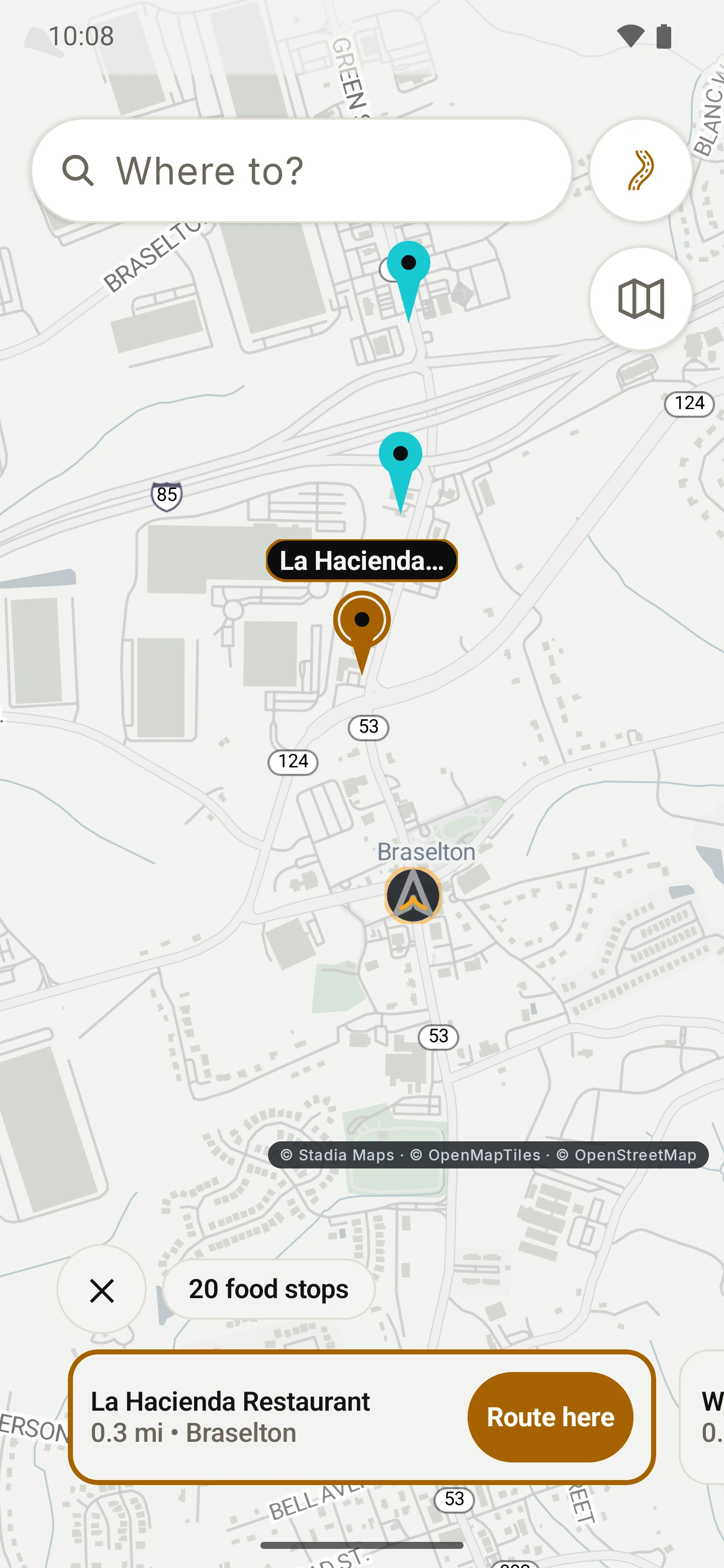
Browse the map and the stops riders care about show up as you zoom in: fuel, charging, food, cafés, viewpoints, a bed for the night, somewhere to park. Tap one to ride there, add it as a stop on the way, or save it under your own name. Favorites stay on the map at any zoom.

As you zoom
The wide view stays clean; more places appear the closer you look.
One tap
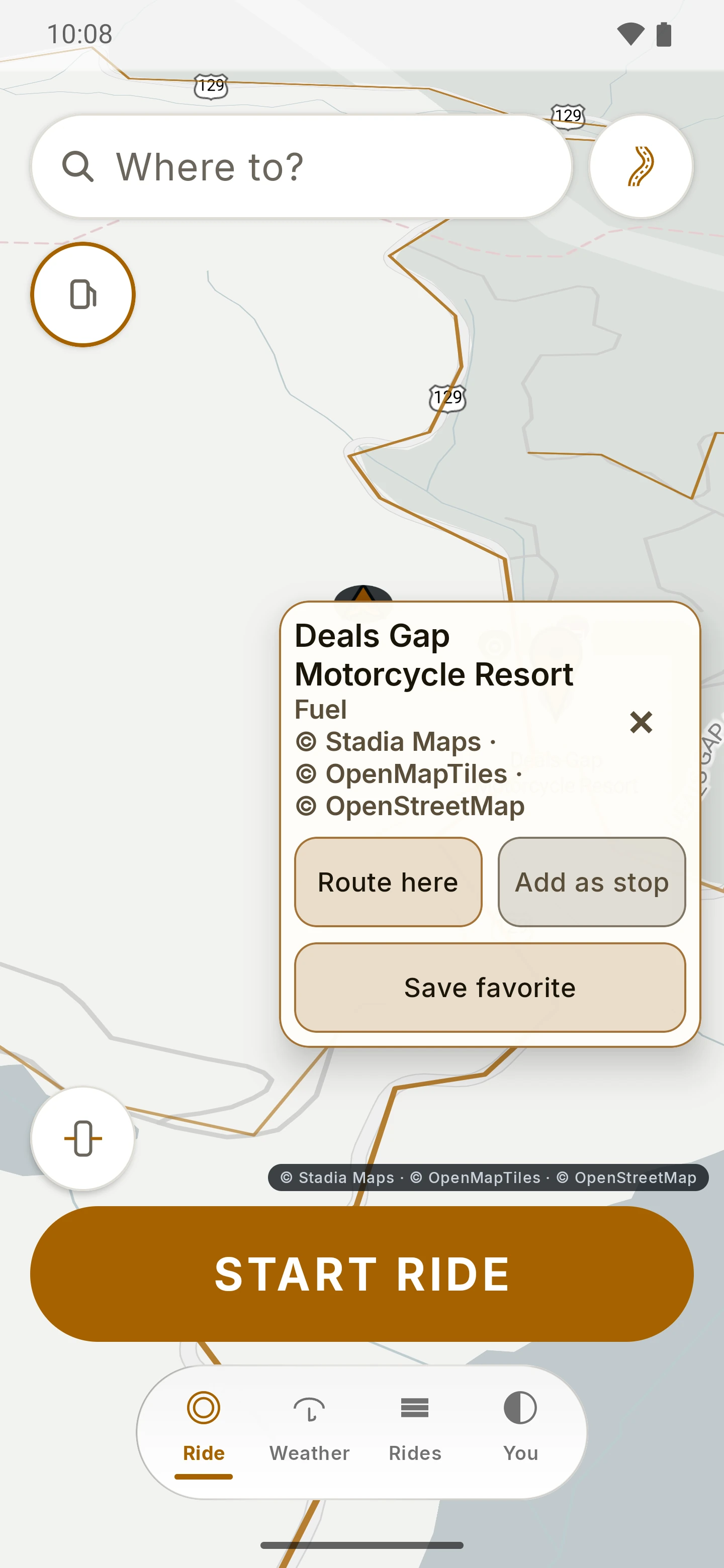
Route here, Add as stop or Save favorite. A favorite keeps only the point and the name you give it, on your phone.
Nearby
Fuel, food, parking or cafés near you, closest first, each with Route here.

Places cover the United States for now. Map pins show names and categories from OpenStreetMap through the map tiles, and nearby search uses Stadia Maps place search, so coverage varies from town to town and can be incomplete. There are no reviews, photos or opening hours. Map screens carry the Stadia Maps, OpenMapTiles and OpenStreetMap attribution, as in the app.

More places screens

RIDE map on a twisty road with the twisty-roads overlay and a place card for a fuel stop offering Route here, Add as stop and Save favorite. Open larger image
Sept 2026 previewTap a pinRoute there, add it as a stop, or save it.
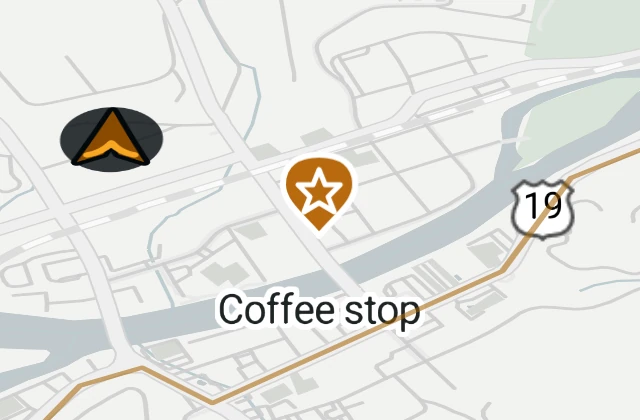
Zoomed-out RIDE map: only the rider and a saved favorite named Coffee stop remain. Open larger image
Sept 2026 previewYour favorite, at any zoom (screen detail)Other pins step back; your saved places stay put.

Weather · In the beta scope

Know what is ahead.

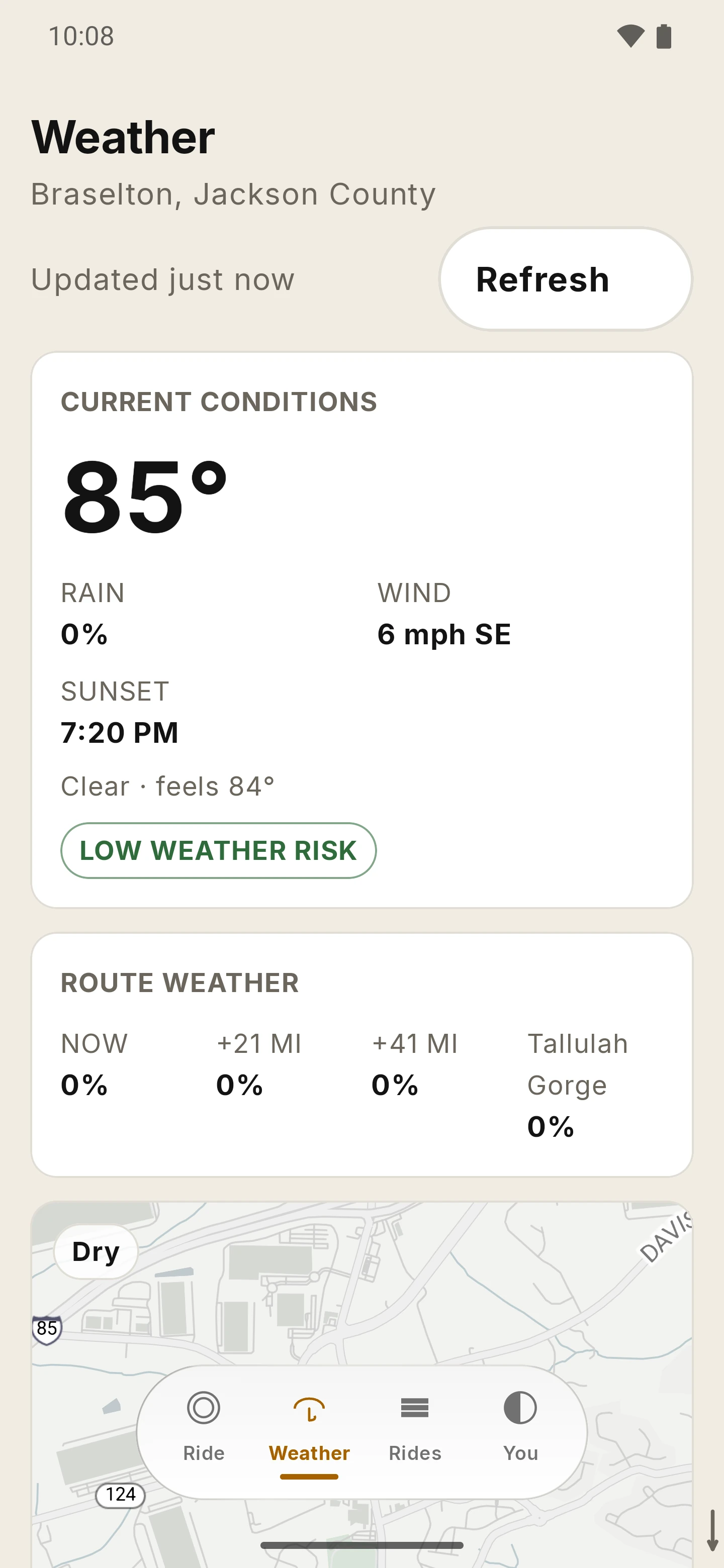
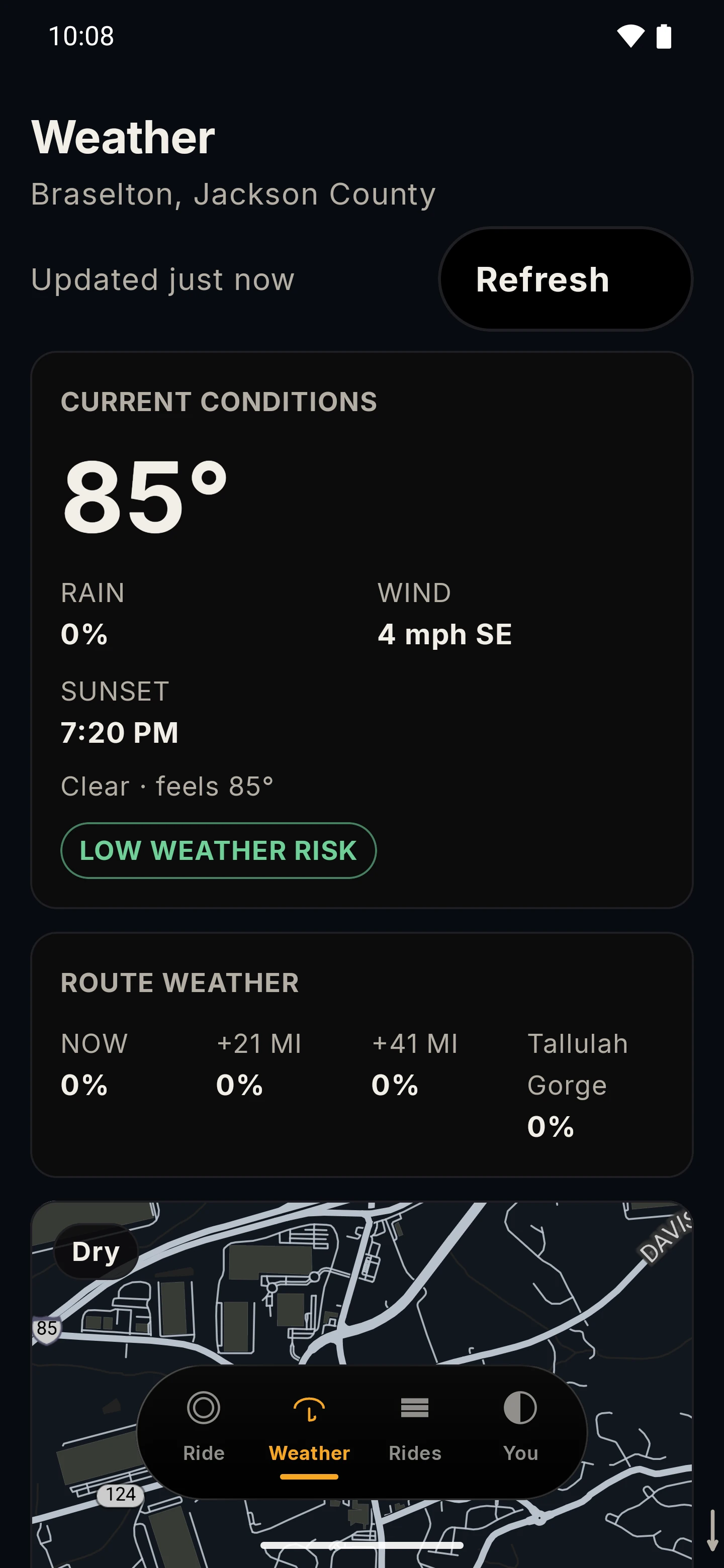
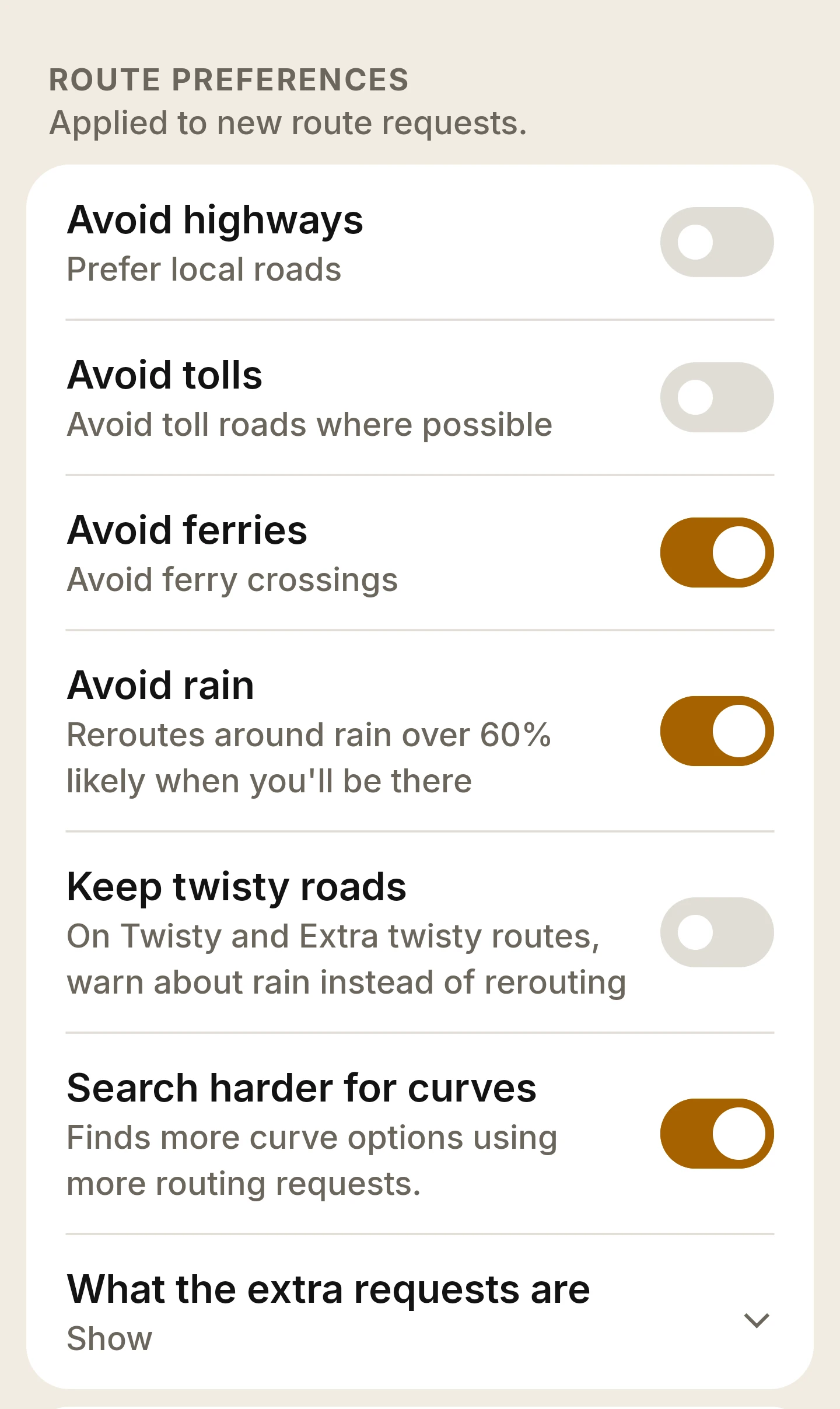
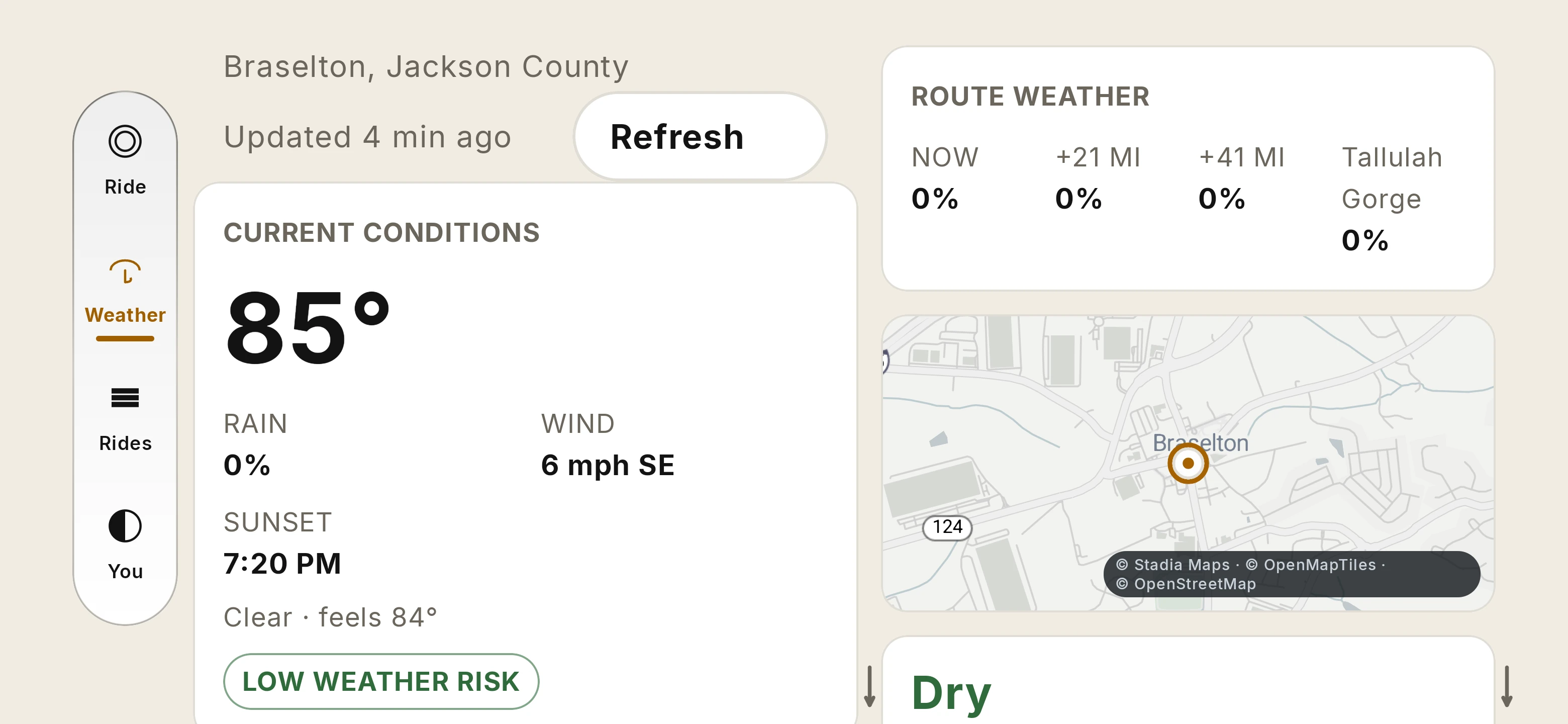
A Weather tab sits beside Ride. It shows current conditions, the weather at points ahead on a planned route, a small map, and an hourly outlook with a rain-probability strip and a Low, Elevated or High weather-risk line. An optional Avoid rain setting can look for a drier road when the forecast says rain is likely ahead.

Conditions and outlook
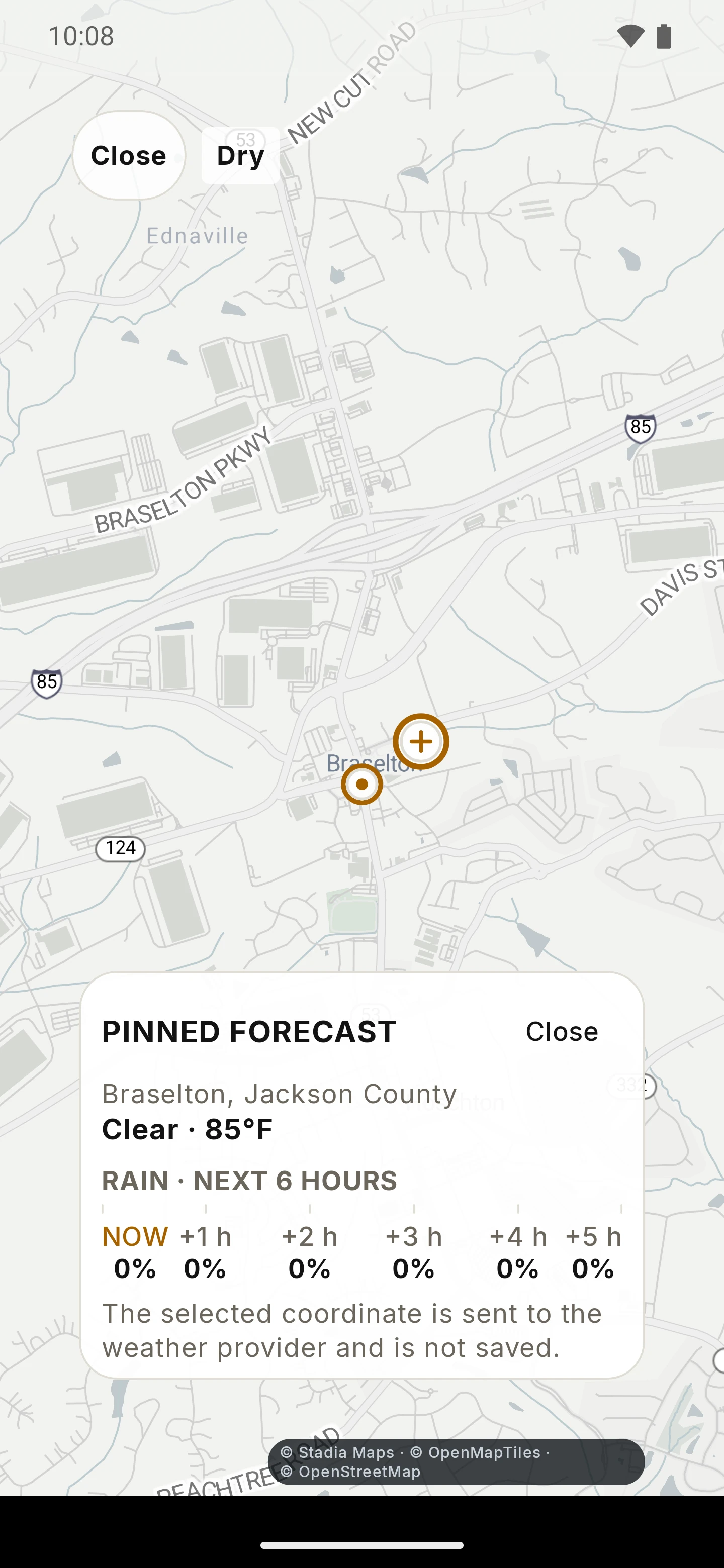
Current conditions, an hourly outlook with range chips, and a full-screen weather map where you can pin a forecast for any spot. The pin is temporary.
Along your route
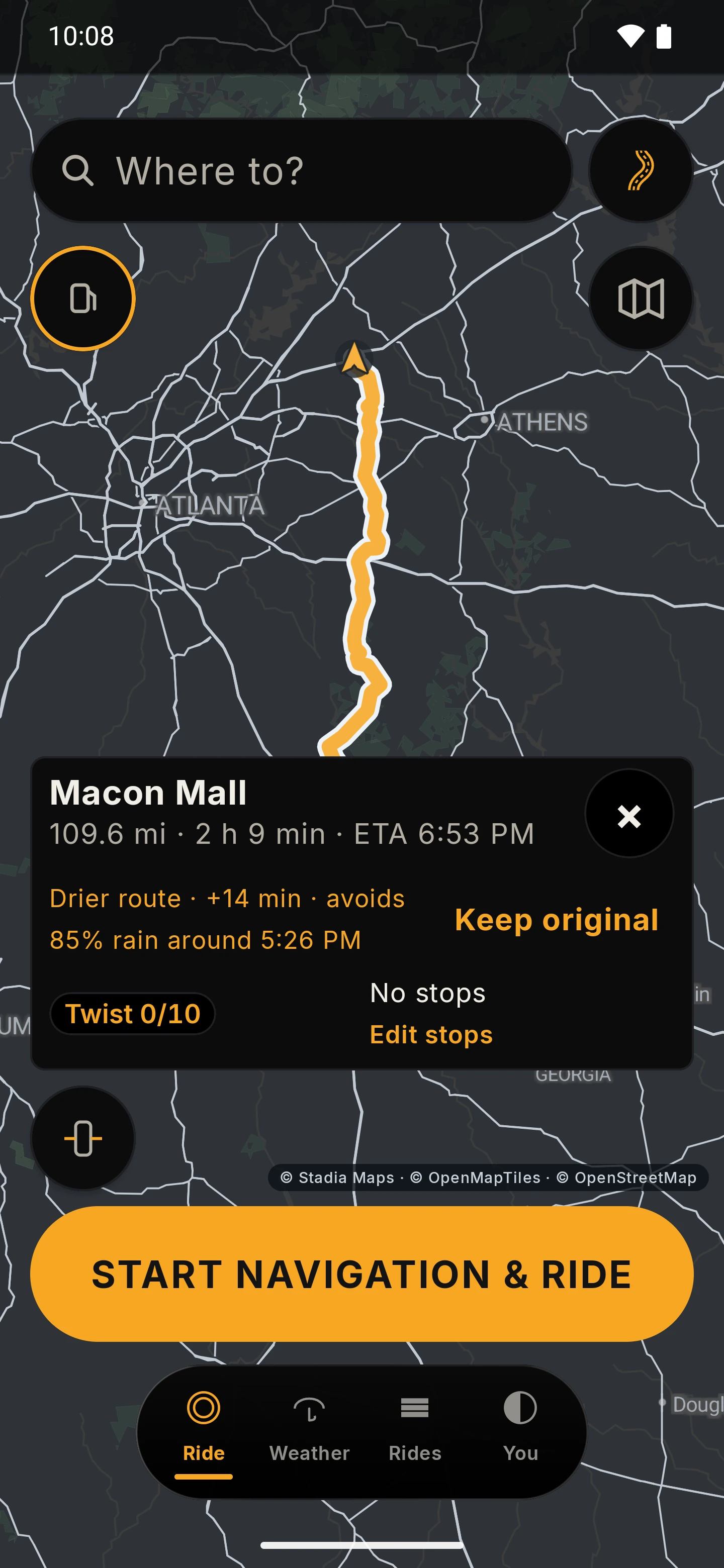
Weather at points along a planned route. With Avoid rain on, the route card can suggest a drier road, show the extra time and offer Keep original. It does not always find a drier road.
Where it comes from
Weather data by Open-Meteo.com, relayed through RIDE’s weather service with coordinates rounded to two decimal places. Section 4 of the Privacy Policy has the details.

Weather is part of the closed-beta scope, but how it behaves on real devices is still being qualified. Forecasts can be wrong, late or unavailable, so treat them as a helpful estimate, not a guarantee. The weather screens on this page show the live forecast at the time of the September capture; the Avoid rain screens use simulated rain from a test fixture.

More weather screens

RIDE Weather tab: the current temperature and conditions with rain, wind and sunset, a Low weather risk chip, and a route weather block with rain chance at points ahead. Open larger image
Sept 2026 previewWeather tabConditions, a risk chip and route weather.
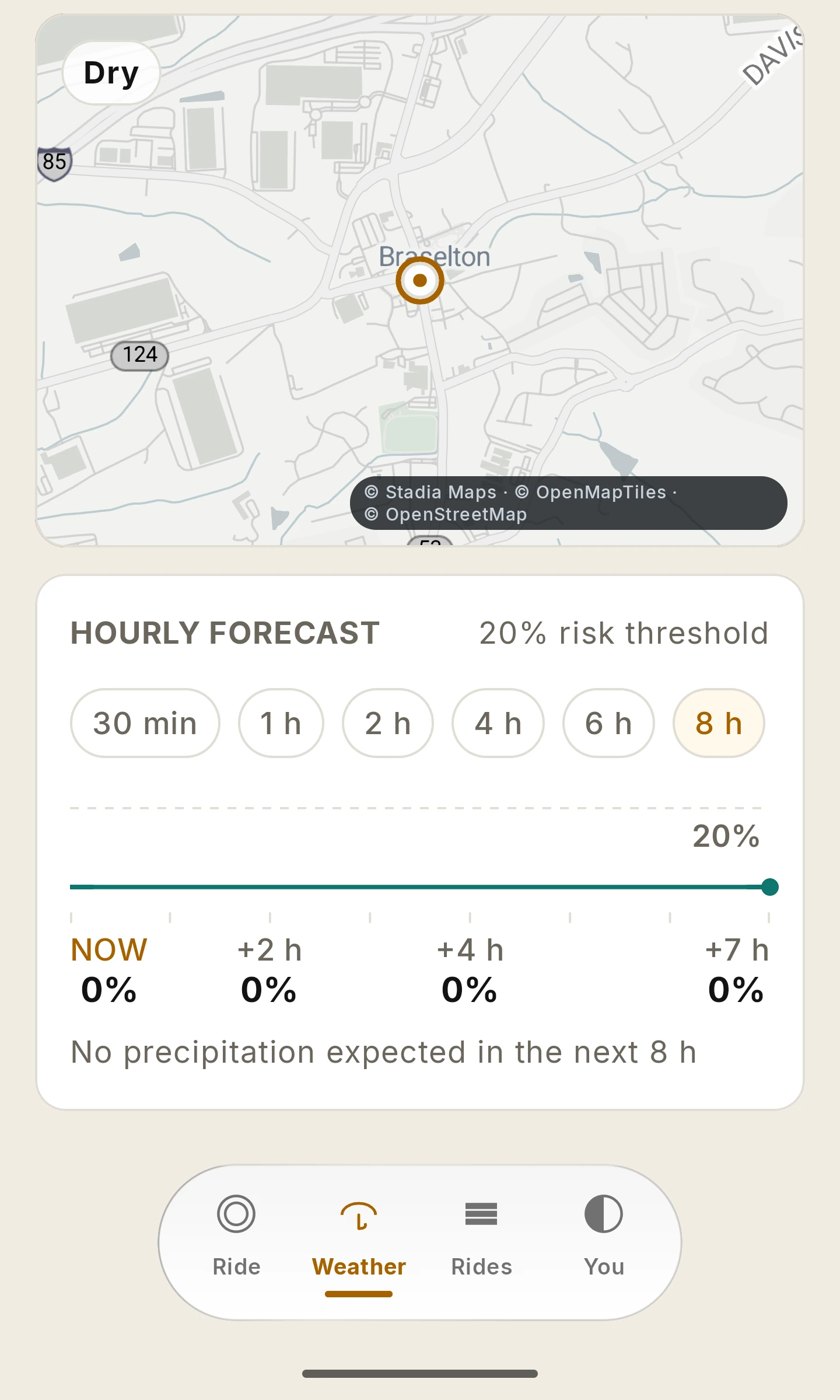
RIDE Weather tab scrolled to the hourly forecast: a map card, range chips from 30 minutes to 8 hours and a rain-probability strip. Open larger image
Sept 2026 previewHourly outlook (screen detail)Range chips and a rain-probability strip.

Wear OS companion · Optional Preview

A little RIDE on your wrist.

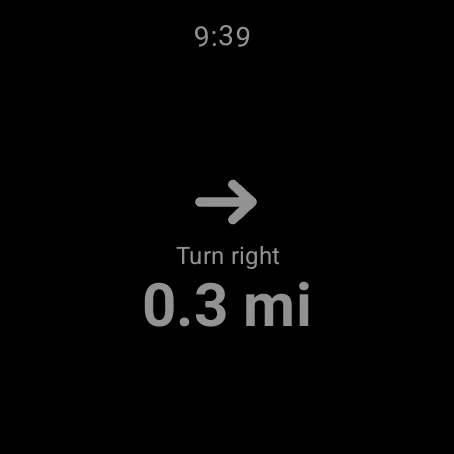
The next turn, how far it is and when you’ll arrive, on your wrist. A buzz before each turn, at the distance you choose, so you rarely need to look down. A dim face when your wrist is down. The watch only shows what the phone knows, and when the phone drops out, it says so instead of guessing.

At a glance
Next turn, distance, road and ETA, in Day or Night, or set to follow the phone.
Turn buzz
A vibration before each turn, 0.1, 0.2, 0.3 or 0.5 mi ahead, set on the phone.
Straight answers
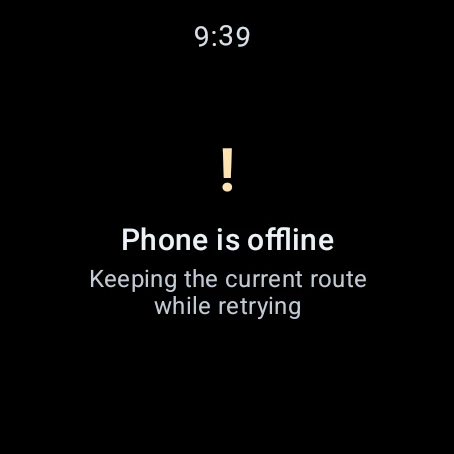
Rerouting, offline or disconnected, the watch tells you, and keeps the current route while it retries.
Heart rate, your call
Optional, and off until you turn on “Save watch heart rate with rides” on your phone. Then the watch shows it while a ride records and the readings stay on your phone. Informational, not medical. See section 6 of the Privacy Policy and the draft health-data notice.
Wrist controls
Pause, resume and hold to end from the watch while the phone keeps the ride. In testing in the September preview.

Watch features need a paired Wear OS watch and matching phone and watch builds. They are previews: pairing, heart rate and wrist controls are still being verified on real watches, and complete Wear OS qualification is pending. Every watch screen here comes from an emulator preview with demo data.

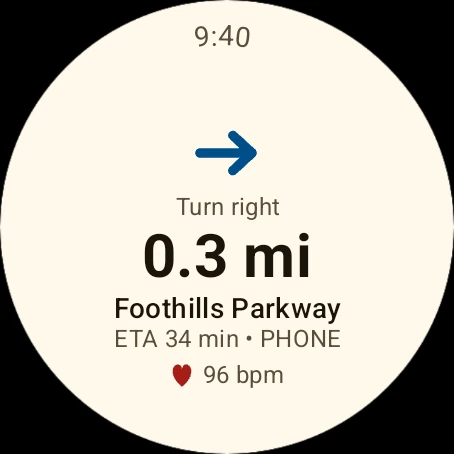
RIDE watch screen in Day: turn right in 0.3 miles onto Foothills Parkway, ETA 34 minutes, heart rate 96 from demo data. Open larger image
Sept 2026 previewNext turn · DayEmulator, demo data.
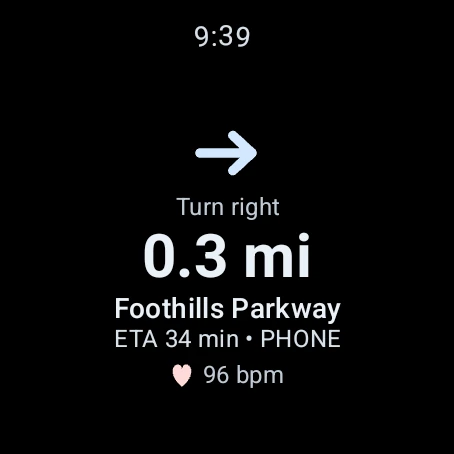
The same RIDE watch turn screen in Night. Open larger image
Sept 2026 previewNightEmulator, demo data.
RIDE watch screen: Phone is offline, keeping the current route while retrying. Open larger image
Sept 2026 previewPhone offlineEmulator, demo data.
The RIDE watch turn screen in its dimmed ambient palette. Open larger image
Sept 2026 previewWrist downSimulated ambient.
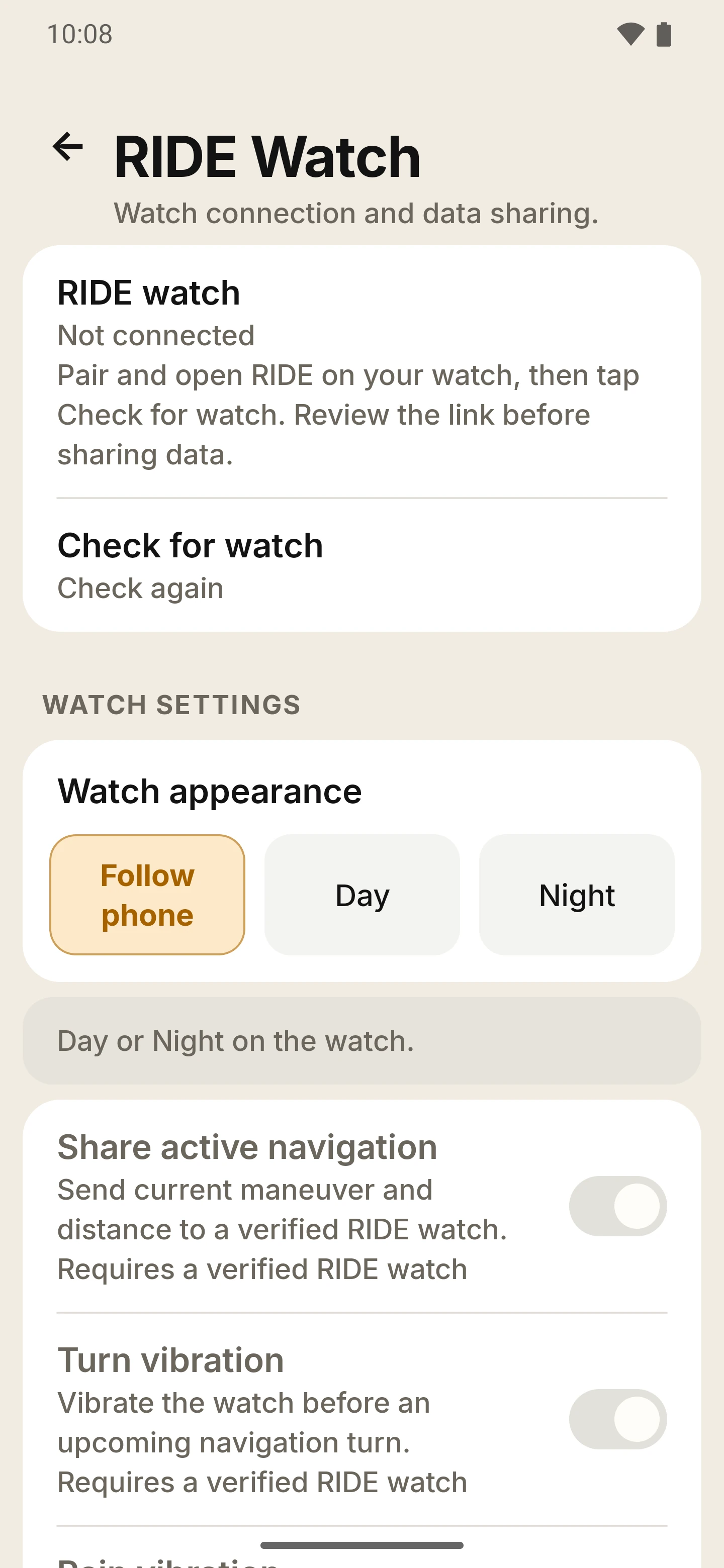
The RIDE Watch page on the phone with no watch connected: watch appearance Follow phone, Day or Night, share active navigation and turn vibration. Open larger image
Sept 2026 previewSet up on the phoneAppearance, shared navigation and turn vibration.

First run · settings · your data

Set up in minutes. Make it yours.

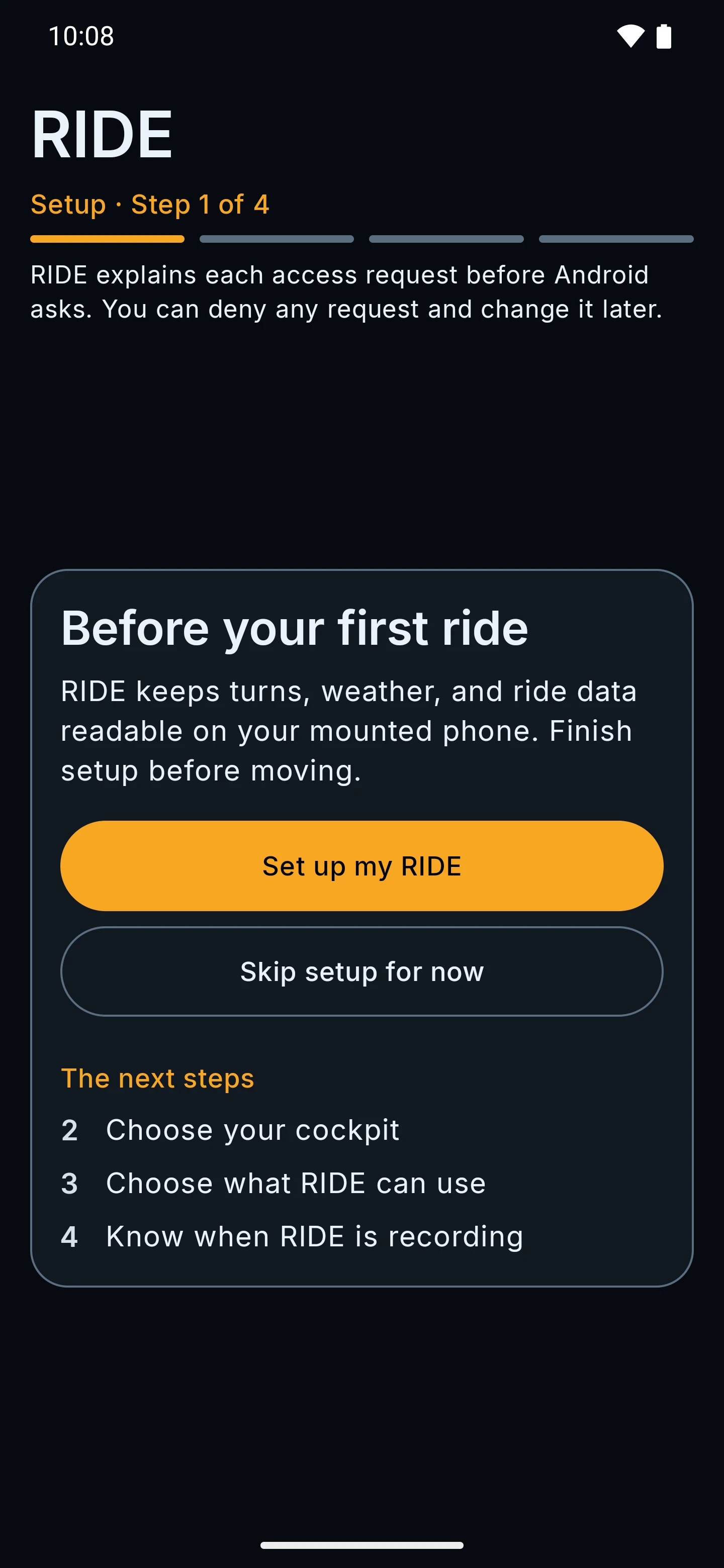
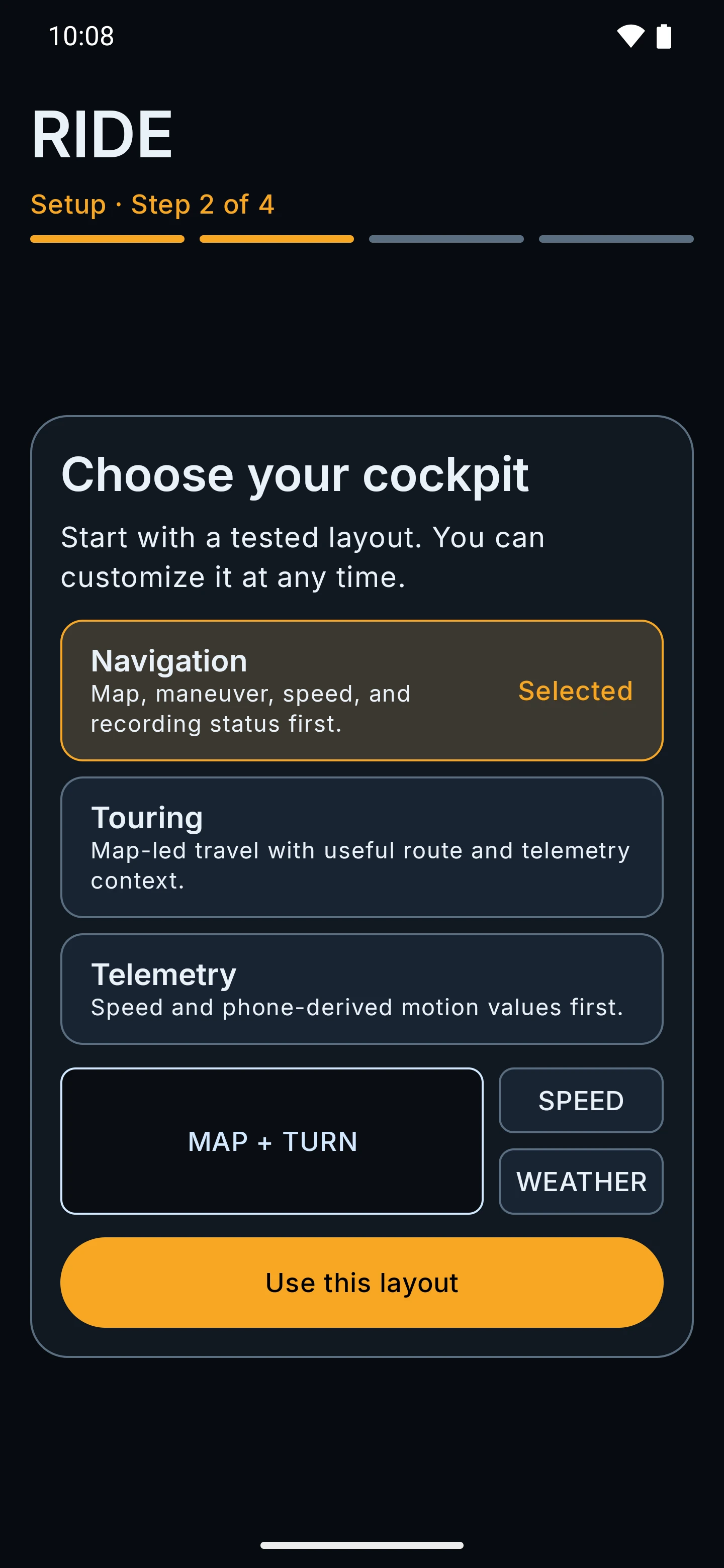
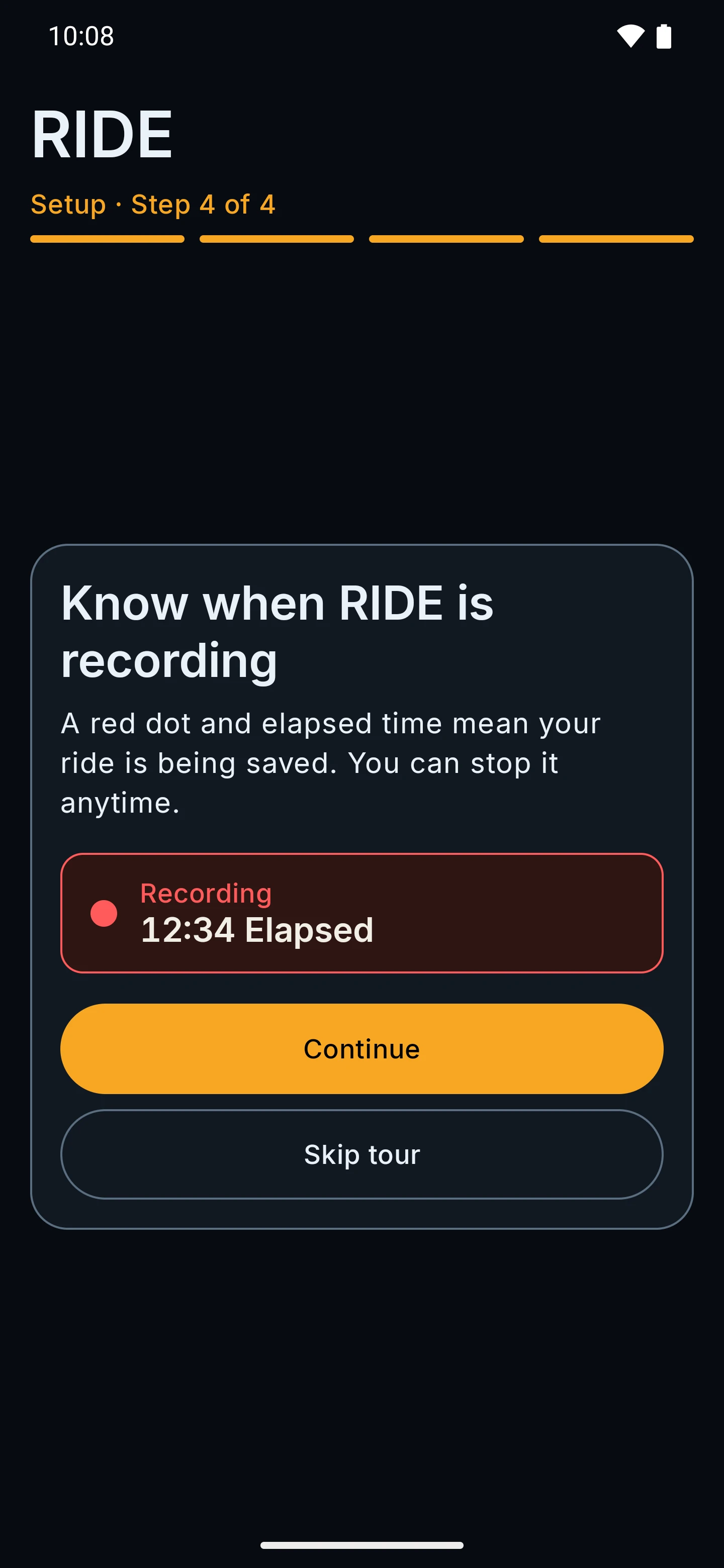
A short guided setup, then you are on the map. Everything else lives under the You tab, in a few short pages.

Guided setup and calibration

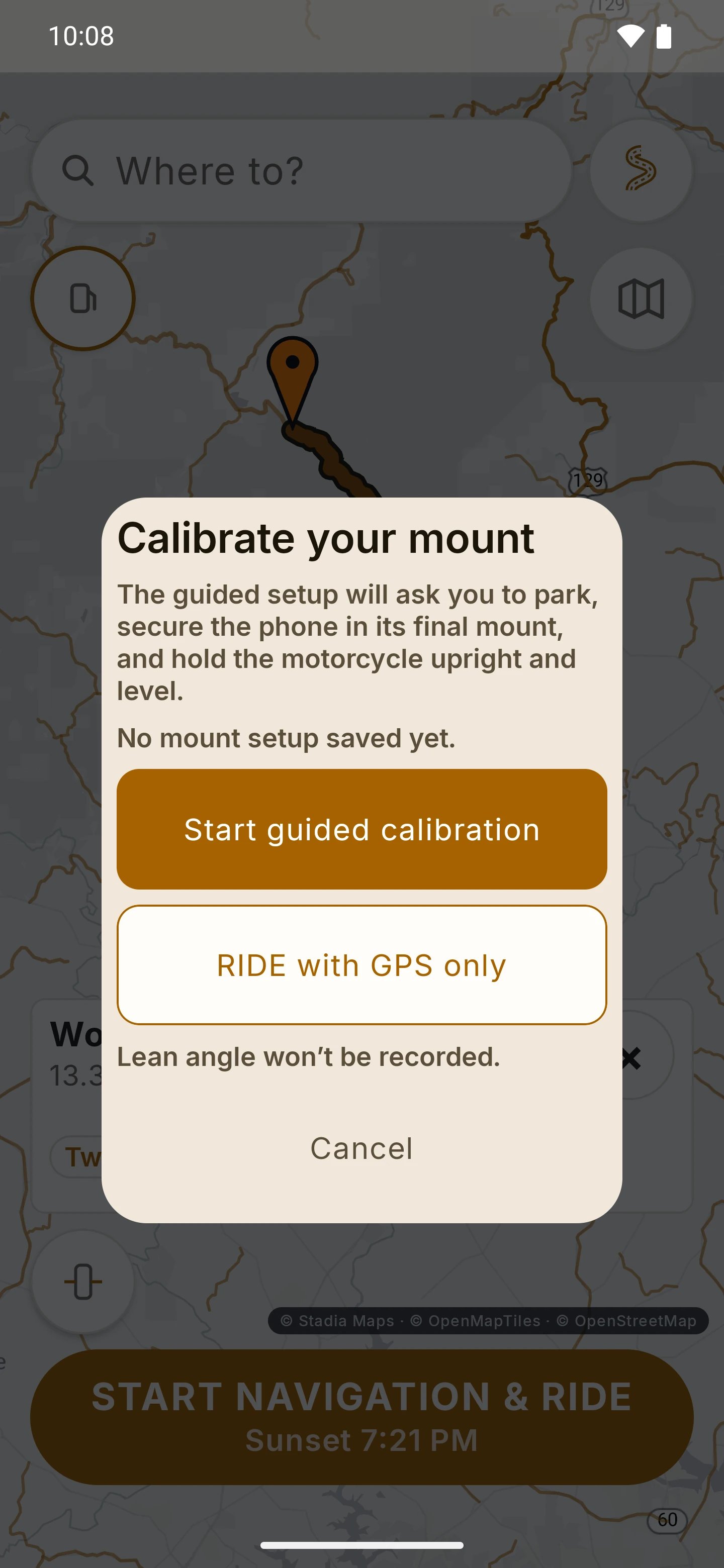
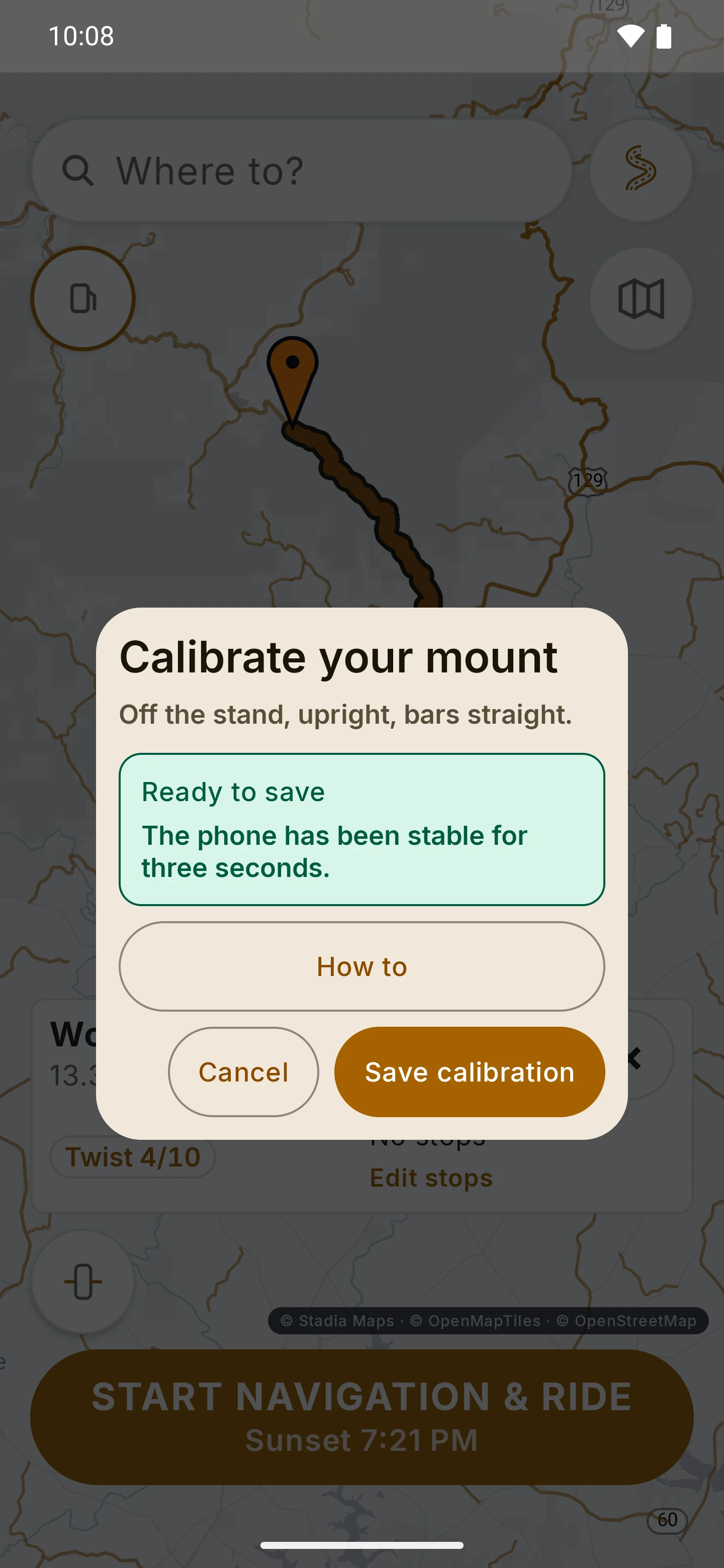
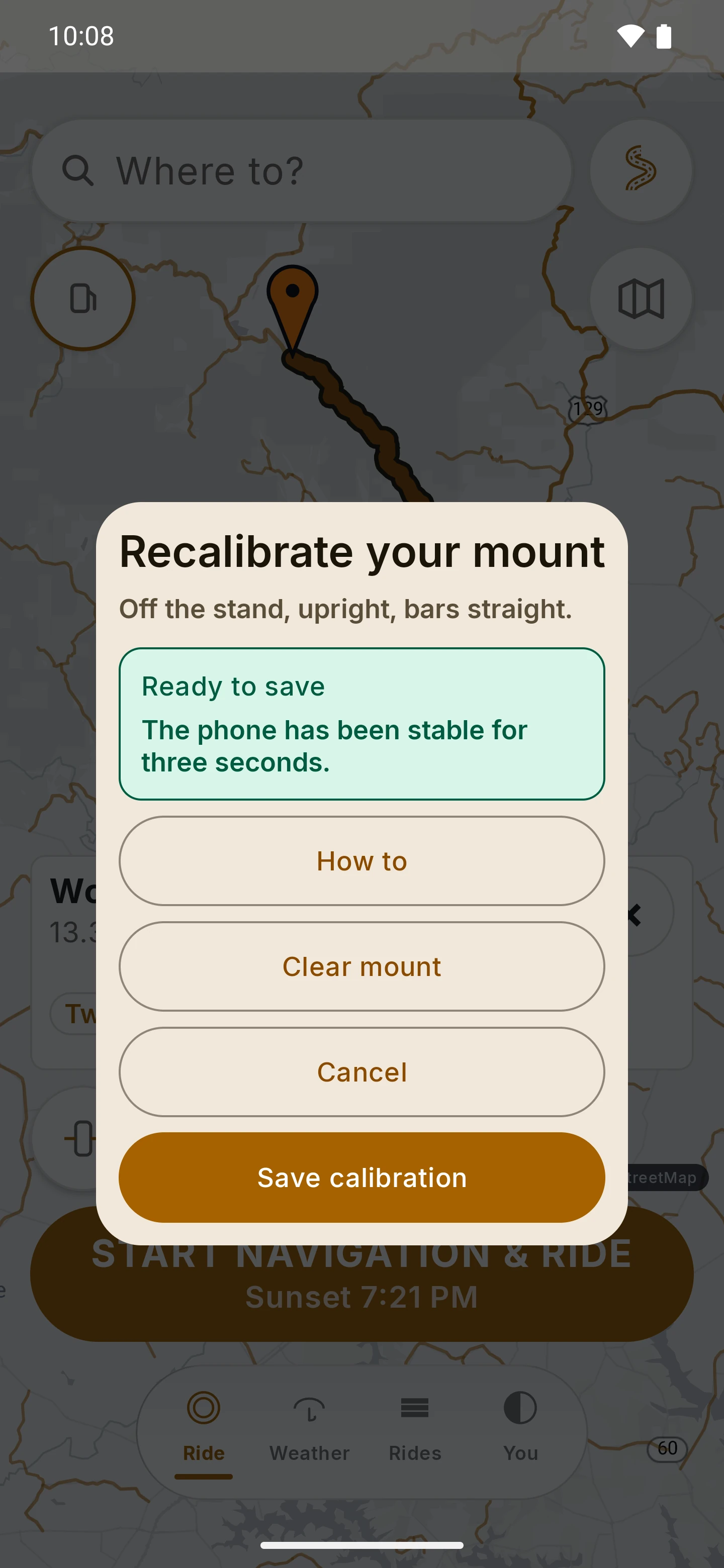
Setup is short and skippable. Before your first recorded ride, RIDE asks you to calibrate the mount: park upright off the stand, bars straight, and hold steady for three seconds. You can also ride with GPS only; lean angle is not recorded then.

What RIDE may ask for

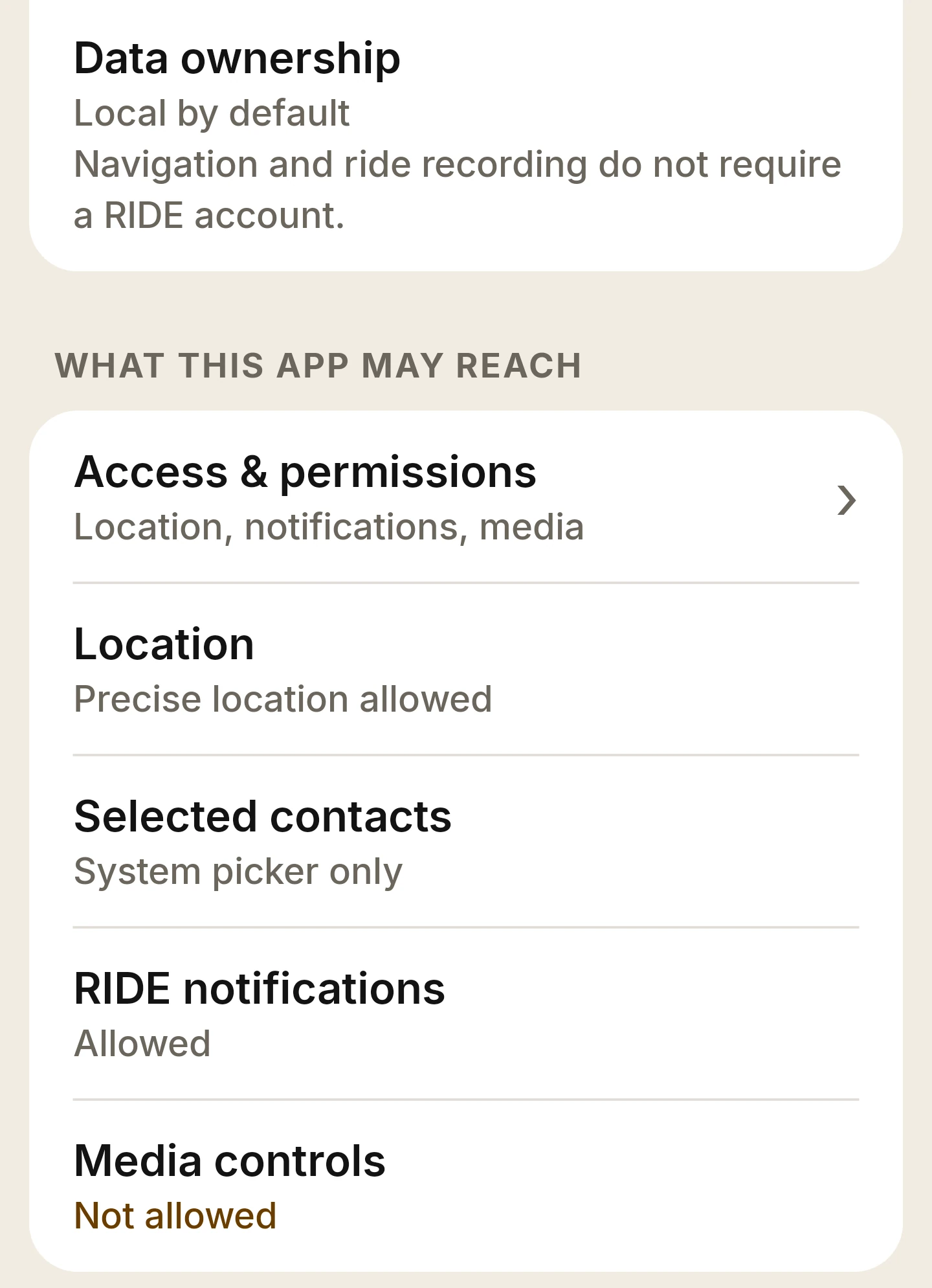
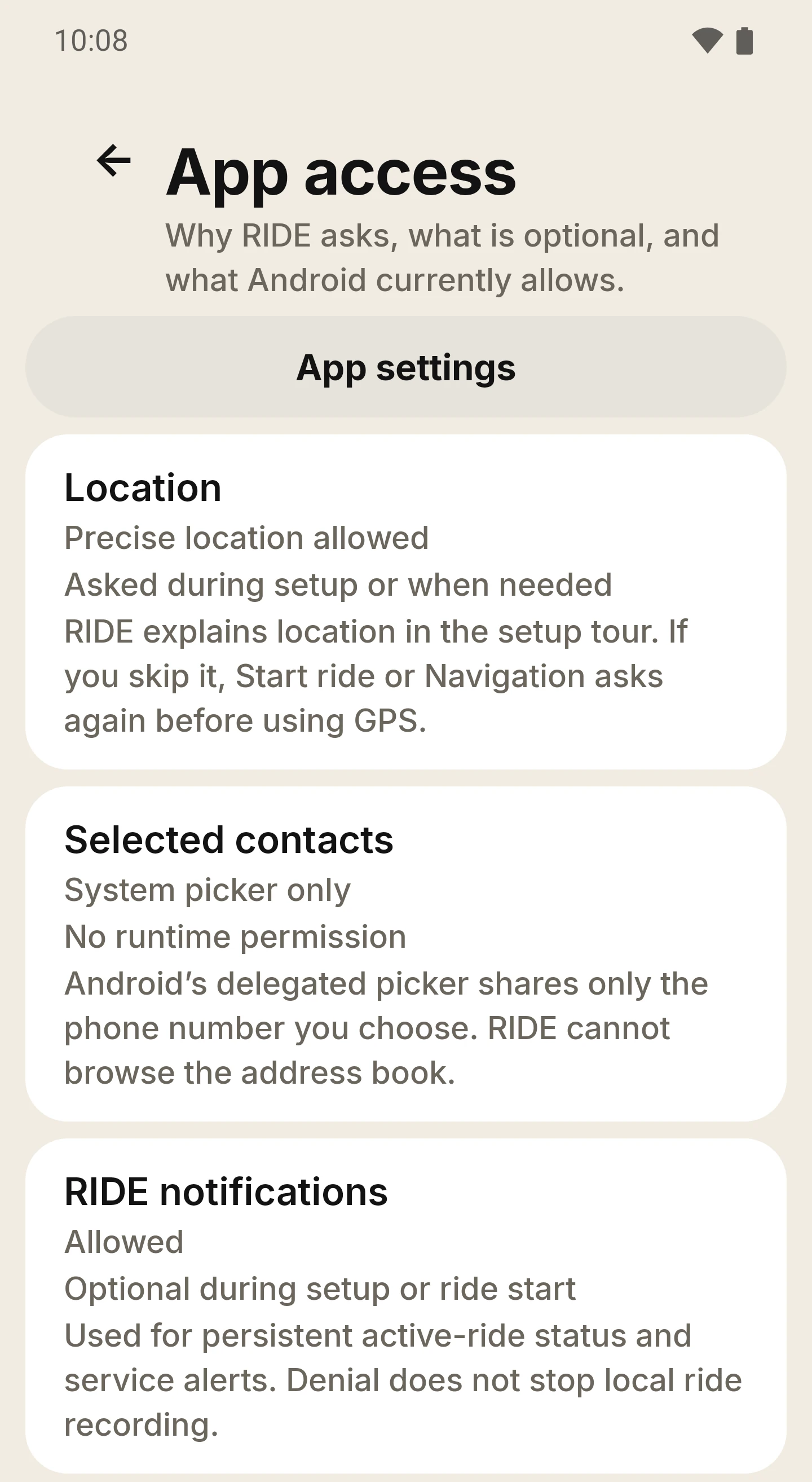
  • Location, for the map, guidance and your ride.
  • Notifications, for the notice that stays visible while a ride records.
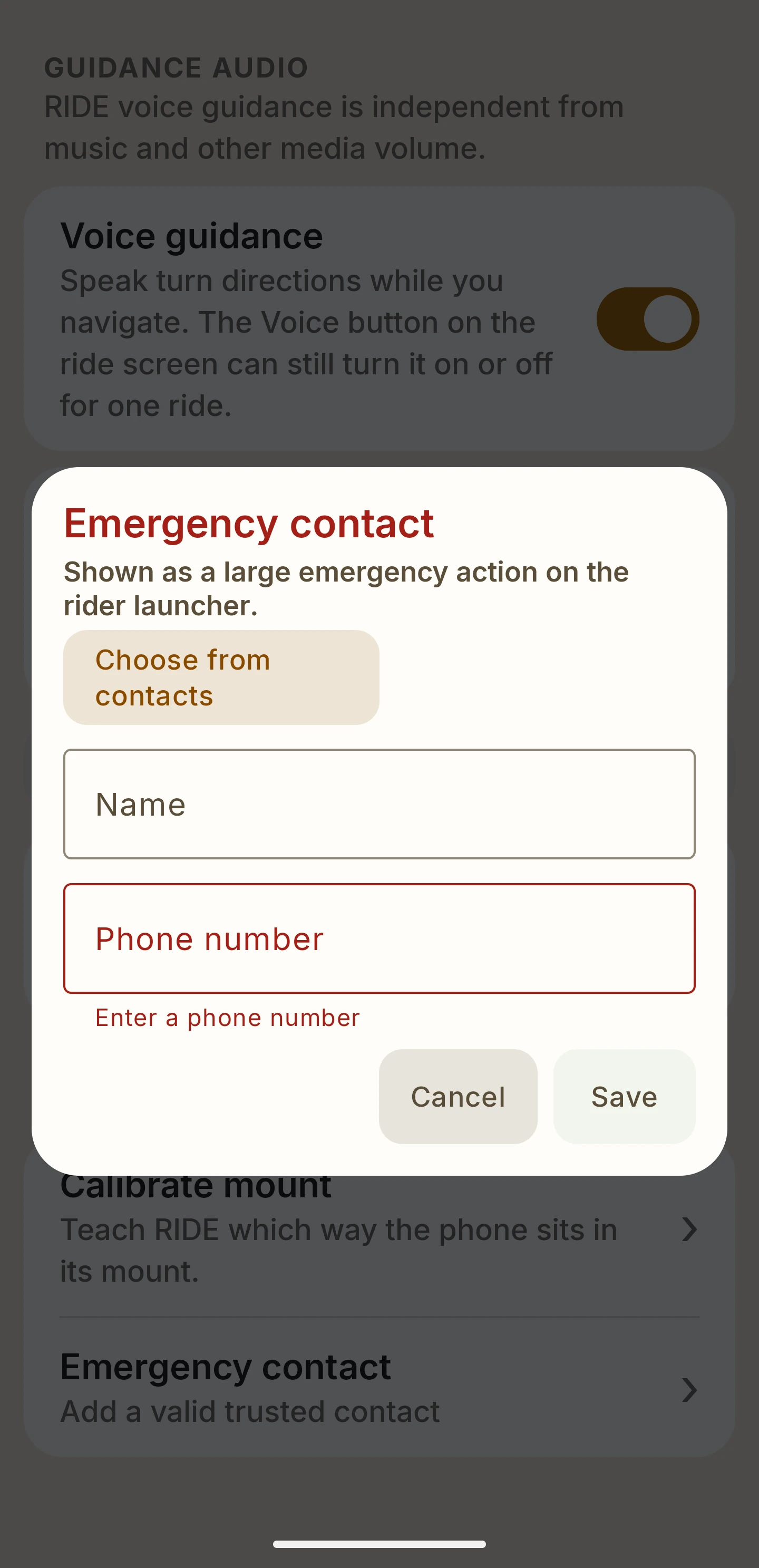
  • A contact, only if you choose an emergency contact with Android’s picker.
  • Notification access for music controls, only if you set up music.

Settings under You

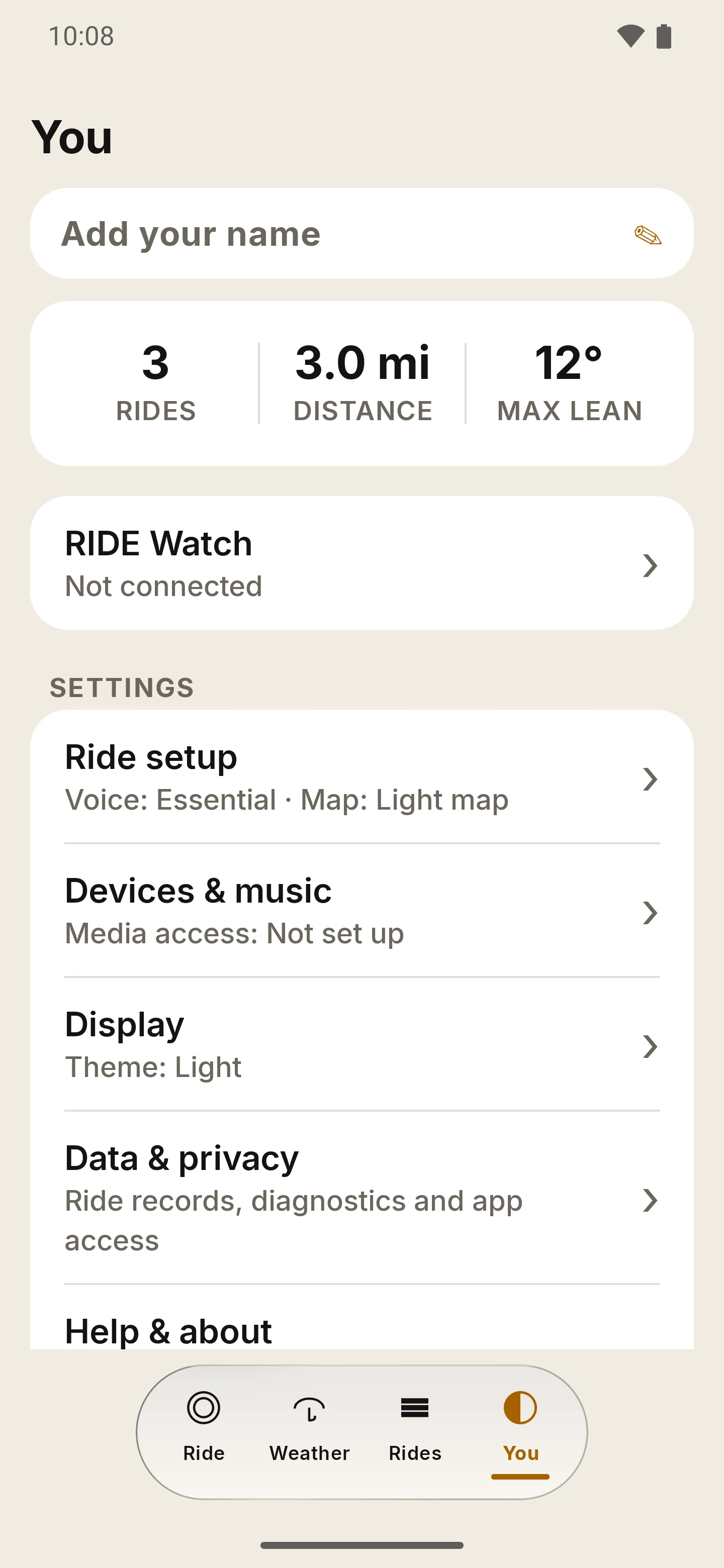
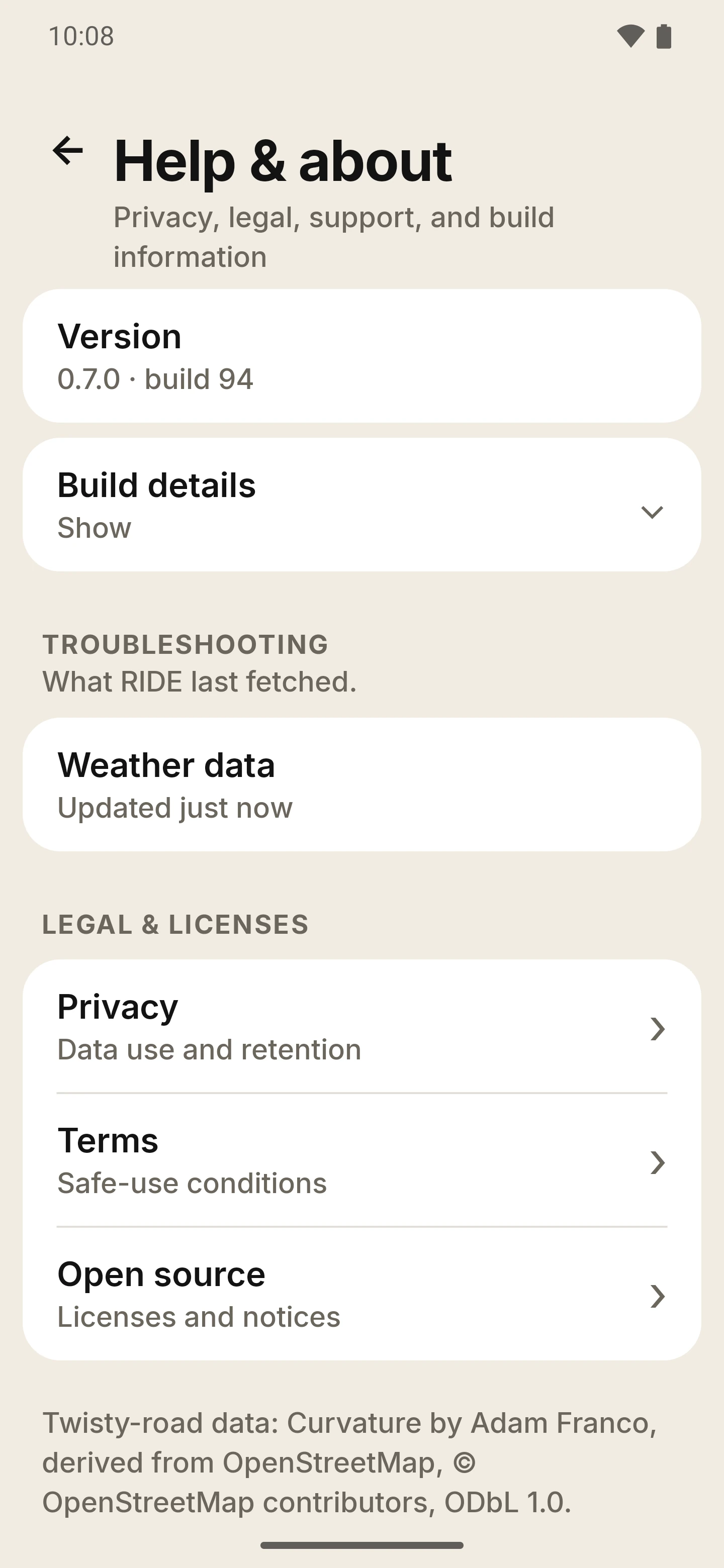
Road preference and route options (avoid highways, tolls or ferries), voice guidance with its own volume, miles or kilometres, theme and map look, screen orientation, music and edge-knock, your watch link, an emergency contact, and Help & about. An access page shows what RIDE may reach, with a shortcut to Android’s app settings.

Shortcuts you press yourself

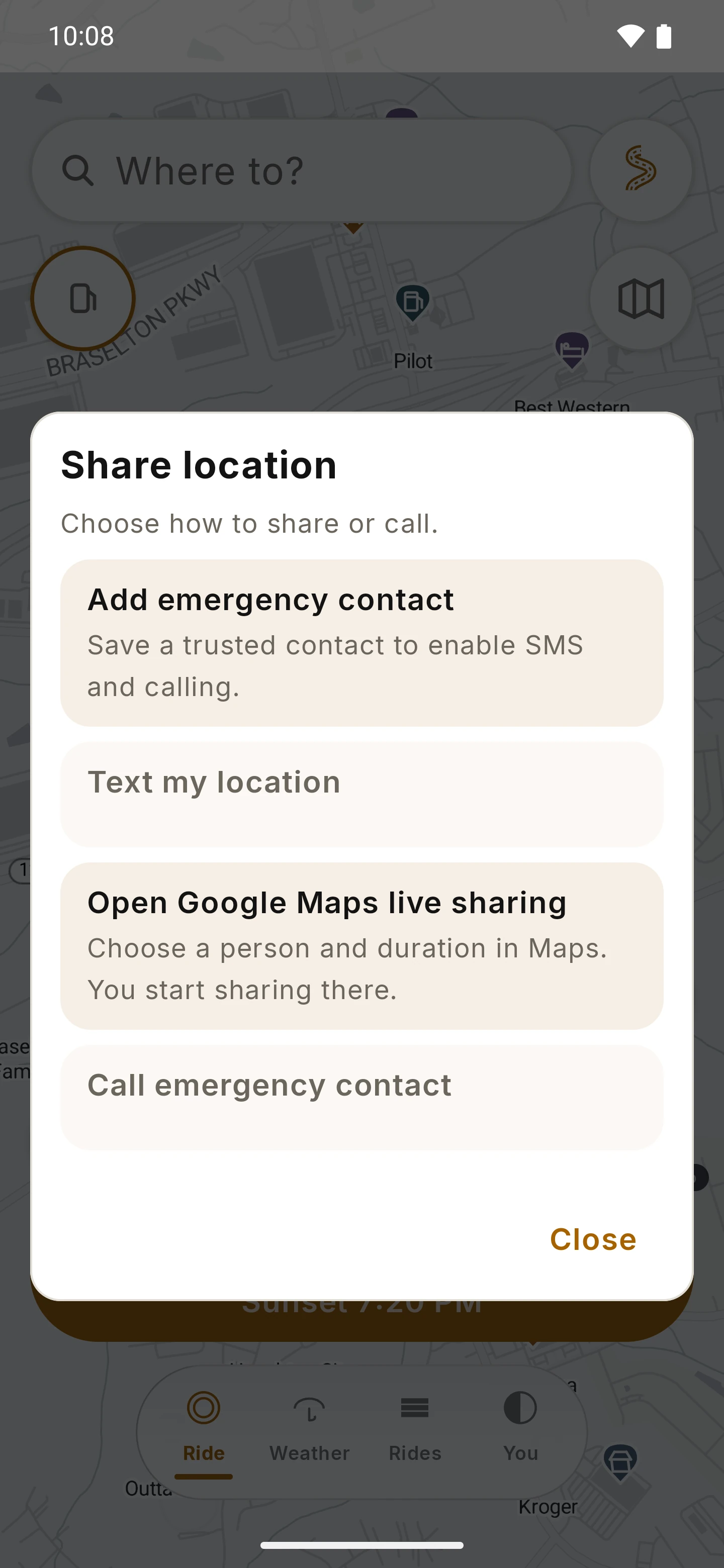
Share location can text your location, open live sharing in Google Maps, or call your emergency contact, and you press send or call yourself. RIDE does not detect crashes or call for help on its own, and it is not an emergency service.

Your data

No RIDE account and no ride-history cloud sync: rides and saved places stay on your phone. Online map, routing, search and weather requests go to the providers described in the Privacy Policy, and exports go only where you send them.

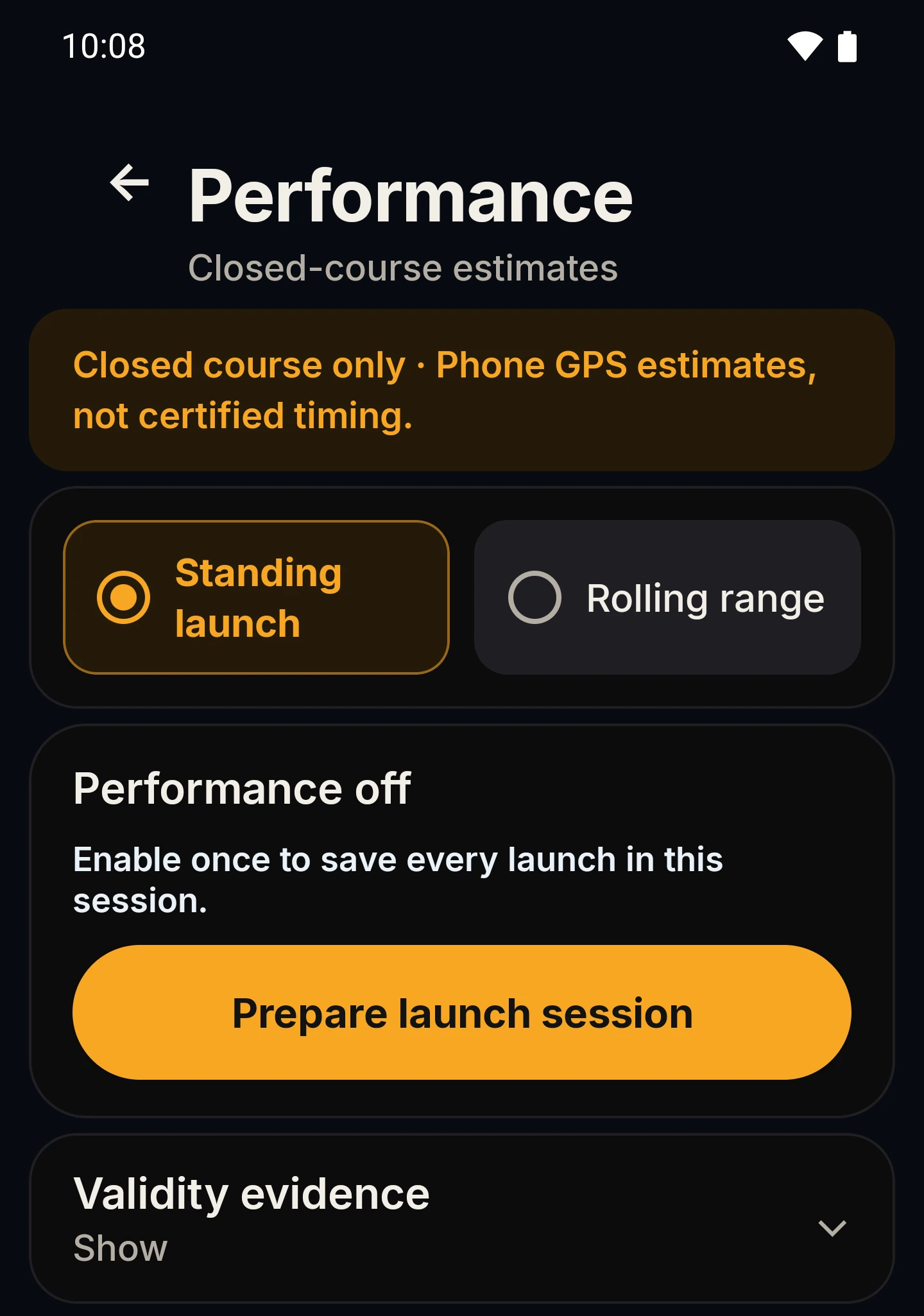
Performance timing Closed course only

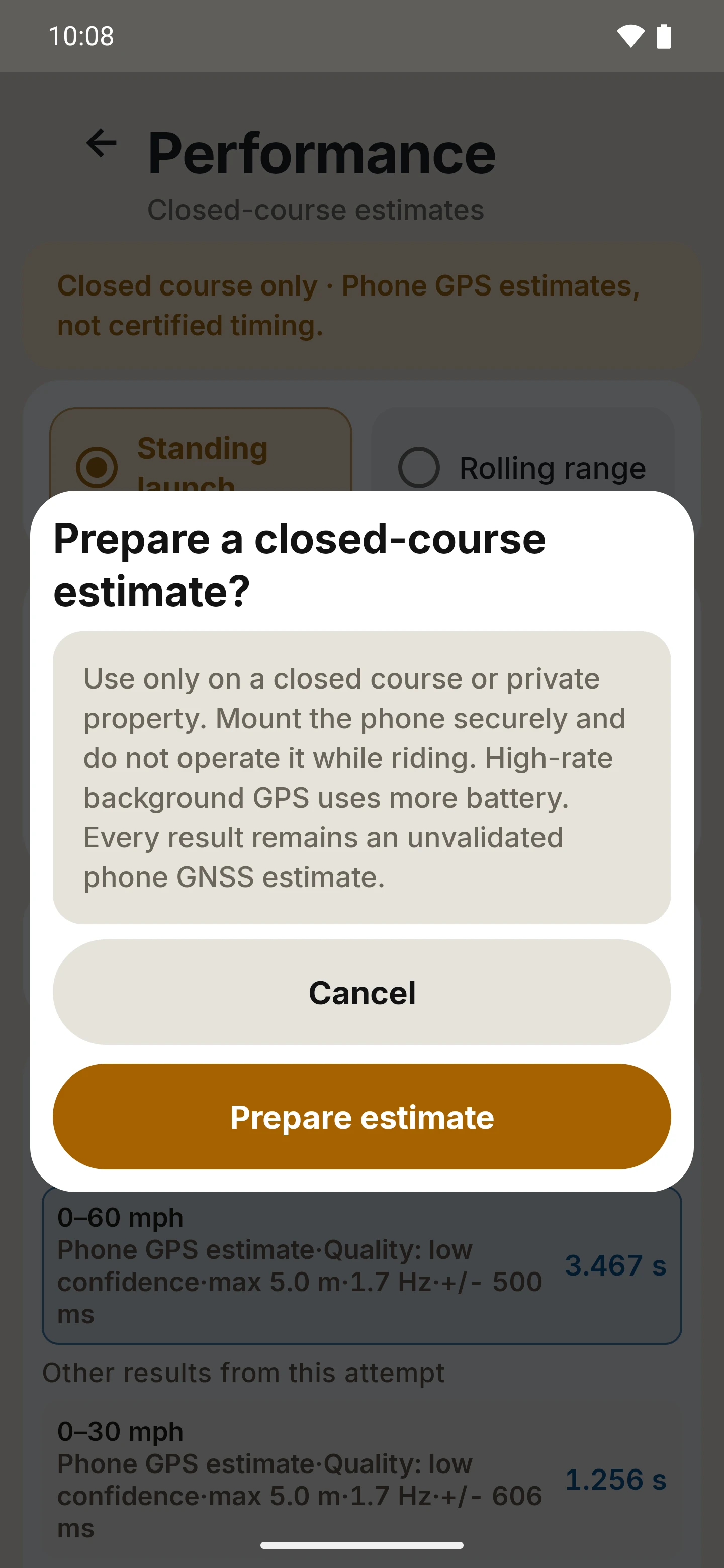
Optional. RIDE can time a standing launch or a rolling speed range from your phone’s GPS. Every result is a labelled phone GPS estimate, never certified timing. Under the Terms, performance features are for a lawfully operated closed course with permission and suitable safety controls, and not for timing or documenting speeding, racing, stunts or unlawful riding on public roads.

Settings pages and wording shown in the preview screens can change before the closed beta.

Screen by screen

See the rest of the app.

Screens grouped by where you meet them. Tap a screen to enlarge it.

These are previews, not the closed-beta build.Every screen below was captured on from RIDE 0.7.0 demonstration builds on Android emulators, with synthetic demo data. They show that preview and may differ from the closed-beta build. Current beta screens will replace them once they have been captured and reviewed.
Map screens carry © Stadia Maps, © OpenMapTiles and © OpenStreetMap contributors attribution. Weather data by Open-Meteo.com. Places and roads shown are examples from map data; no affiliation or endorsement is implied.

Closed beta

Help shape the next ride.

You know the roads. We’re building the cockpit. Help us make RIDE feel right on a real bike.

  • Invited testers in the United States aged 18 or older. The closed beta is configured for English (US).
  • A compatible Android phone with GPS. Supported Android versions are confirmed with the invitation.
  • A secure handlebar or tank mount, and time to explore the controls while parked.
  • A few useful notes about what works and what needs attention. A Wear OS watch is optional.
Platform
Android phone, with an optional paired Wear OS watch.
Beta audience
Invited testers in the United States, adults 18 or older, English (US).
Access
By invitation. Interest registration on this website is separate from Google Play: it does not enroll you, install anything or guarantee an invitation.
Build
The closed-beta build is still being prepared, and the screens on this page are September 2026 previews. No public download is available yet.
  1. Register interest

    Email your interest to ridesupport@proxiedmail.com; the form on the beta page prepares the email. This website does not save sign-ups.

  2. Watch for an invitation

    The team can contact you when testing is ready. Timing, supported devices and regions can vary, and registering does not guarantee a place.

  3. Opt in through Google Play

    An invitation includes the current testing link. Registering here does not install the app or join a Play test.

  4. Share what you find

    Explore while parked, ride responsibly, and send feedback through the channel in your invitation.

Invited testers in the United States, aged 18 or older. Google Play access is not available yet; interest registration does not install or enroll you in the app.

Route planning allowance

Route planning, plainly.

What the closed beta includes, and what standard builds are described as including.

250

free route plans per calendar month in standard builds. The Terms count successfully delivered new route plans.

Unlimited

route planning for invited closed-beta testers, with no full-version unlock purchase required.

No account

needed to plan or record rides in the closed beta: no RIDE login and no purchase.

The beta exception applies only to the closed-beta build and does not grant a full-version entitlement in public builds. For standard builds the Terms describe a one-time full-version unlock through Google Play, with the price shown on the Google Play purchase screen at the time of purchase; no subscription is described. No price, purchase or store link is announced or available on this site.

Ride with care

Beta software. Not a safety device.

RIDE is built to keep your eyes up, but it cannot make riding safe. Readings are estimates and routes are suggestions; your judgment of the road always comes first.

  • Set up the phone, route and settings while parked.
  • Mount the phone securely so it never blocks your controls, instruments or view.
  • Follow traffic law, signs and conditions over anything RIDE shows.
  • Speed, lean, routes, weather and arrival times are estimates and can be wrong.
  • RIDE does not detect crashes, call for help or replace emergency services.

What’s next

The road ahead.

Where things stand beyond the first closed beta. Plans, not promises: order, scope and timing can change, and nothing here is a commitment or a date. Last reviewed October 18, 2026.

  • In preparation

    Closed beta distribution

    RIDE for invited testers in the United States through Google Play. Access is by invitation, and no date is promised.

  • In development

    Speed limits

    A posted-limit display, starting with the United States and using open map data. There is nothing to try yet. Limits can be missing or wrong, and road signs always come first.
  • Exploring

    Richer places from open map data

    Today’s places come from the map tiles plus nearby search. We’re trying open map data to see whether it fills in more fuel, food and parking.

  • Exploring

    Beyond the United States

    Places and twisty roads cover the United States today. Bringing the same to other countries is one of the ideas we’re looking at; nothing is promised.

Have an idea for the road ahead? The closed beta is where we listen.

Register beta interest

Before you set off

A few useful answers.

How is RIDE different from a regular navigation app?

A regular navigation app gets you there fastest. RIDE lets you choose how twisty the road should be and scores each route for curves, shows lean angle and ride stats while you ride, records the ride so you can replay it, and keeps your recorded rides on your phone, with no RIDE account.

Can I download RIDE now?

Not yet. RIDE is in a closed beta for invited testers, and Google Play access is not available yet. You can register interest; that is separate from Google Play enrollment and does not guarantee an invitation. When invitations are available, they will include the current installation and feedback details.

Which phone or watch do I need?

A compatible Android phone with GPS and a secure mount. Supported Android versions are confirmed with the invitation. A Wear OS watch is optional: watch features need a paired watch and matching phone and watch builds, and they are still previews.

Do I need an account, a purchase or an internet connection?

No RIDE account or purchase is needed to plan or record rides in the closed beta. Maps, place search and routing, including reroutes, need a connection; recording a ride does not. Google Play testers install with their Google account, as with any Play app.
What does RIDE cost?

Standard builds are described as including 250 free route plans per calendar month, and the Terms describe a one-time full-version unlock through Google Play. Invited closed-beta testers get unlimited route planning and do not need to buy anything; that exception does not carry over to public builds. No price, purchase or store link is announced yet. See the route planning allowance.

Does RIDE show the weather?

Yes: a Weather tab beside Ride with current conditions, an hourly outlook, a rain-probability strip and a weather-risk line, plus optional Avoid rain route planning. Weather is part of the closed-beta scope, but its behavior on real devices is still being qualified, and forecasts can be wrong or unavailable. See the weather section.

Does RIDE show fuel, food and cafés?

Yes, in the September preview: places appear on the map as you zoom in, and nearby search finds fuel, food, parking or cafés. Places cover the United States for now, come from open map data and Stadia Maps search, and have no reviews, photos or opening hours. Coverage varies from town to town.

Where do my rides go?

Recorded rides stay on your phone in an encrypted database, with Android cloud backup disabled for them, unless you export one. Online routing, search and map requests go to Stadia Maps, and weather requests go through RIDE’s weather service to Open-Meteo. The Privacy Policy lists what is sent and what stays on your devices.

What happens when I register interest on this website?

For now this website does not save sign-ups or messages. The form on the beta page prepares an email to ridesupport@proxiedmail.com, and nothing is sent until you send it. Registering interest does not create a RIDE app account, enroll you in Google Play or send an automatic invitation. To be taken off the list, email a removal request. The website signup privacy notice has the details.

Does RIDE show speed limits?

Not yet. Showing posted speed limits, starting with the United States and using open map data, is in development, so there is nothing to try. Limits can be missing or wrong, and road signs always come first.

Is there an iPhone or Mac version?

No. RIDE is for Android phones, with an optional Wear OS companion. No iOS or macOS version is being offered.

How should I use RIDE on the bike?

Plan, set up and adjust RIDE while safely stopped, then ride. Readings are estimates, and a suggested route never replaces your judgment. Read the rider safety notice.

Who makes RIDE, and how do I get help?

RIDE is developed and operated by Azuer. For support, a bug report or a privacy question, email ridesupport@proxiedmail.com or see the support page, which says what to include and what to leave out.